> ## Documentation Index
> Fetch the complete documentation index at: https://docs.tryprofound.com/llms.txt
> Use this file to discover all available pages before exploring further.
# Export prompts and topics
> Download or copy prompts and topics from Answer Engine Insights
You can export prompts and topics in two places: [**Answer Engine Insights > Prompts**](/answer-engine-insights/interpret#prompts) tab, and in [Prompt Designer](/answer-engine-insights/prompt-designer). Exports support downloading files or copying data in JSON and CSV formats.
## Export in Prompt Designer
### Export prompts
In Prompt Designer table, select the prompts you want to export. Then select **Export prompts** at the top of the table.
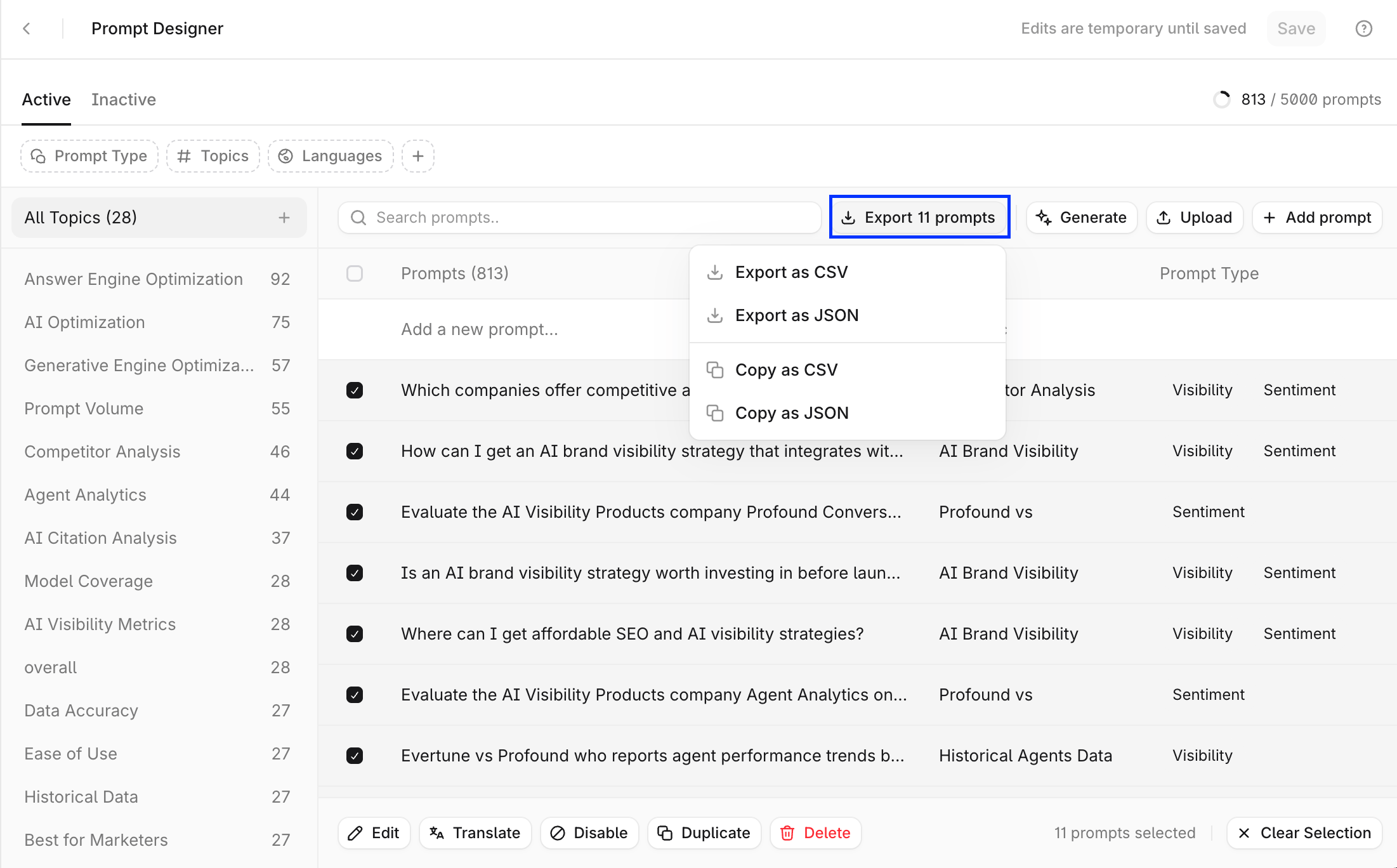 ### Export topics
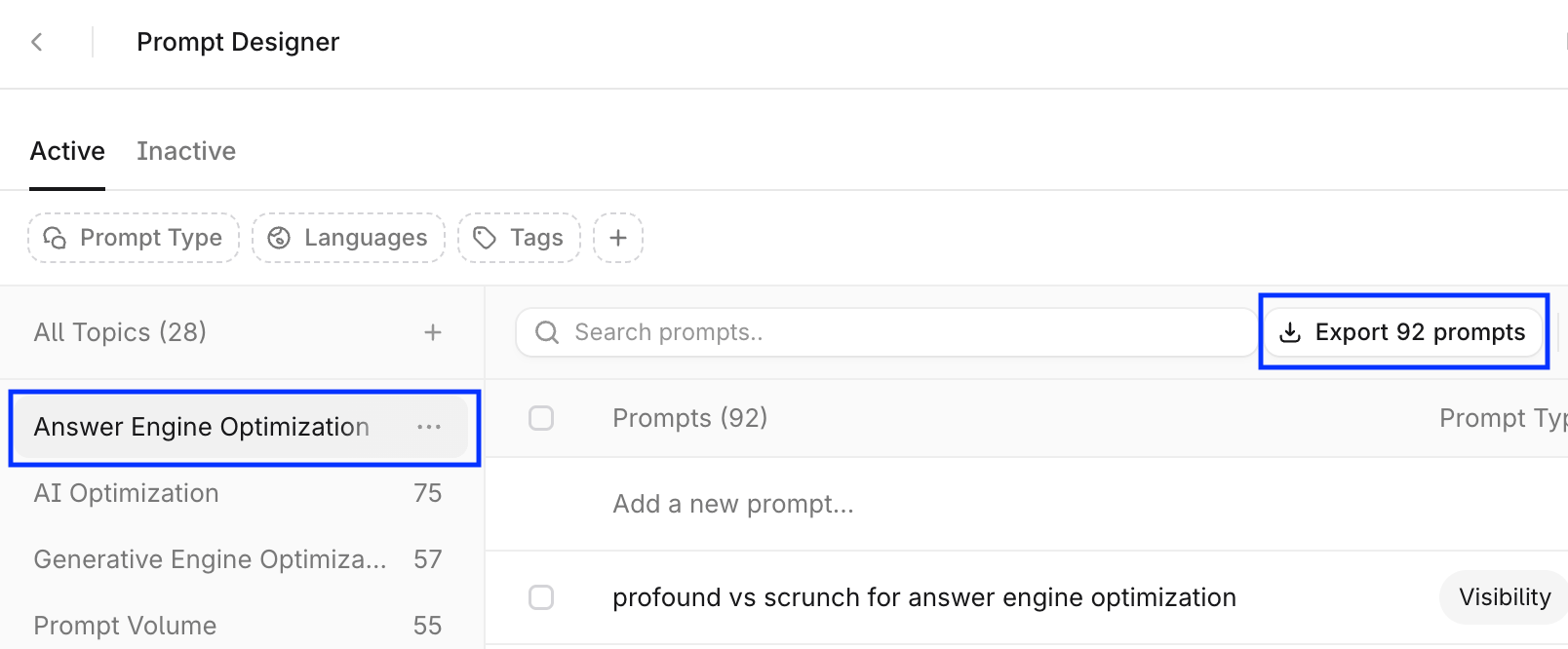
Prompt Designer doesn’t support topic exports, but it does support exporting all prompts from a topic:
* Select a topic in the topics panel, this selects all prompts in that topic.
* Select **Export prompts** at the top-right of the table.
### Export topics
Prompt Designer doesn’t support topic exports, but it does support exporting all prompts from a topic:
* Select a topic in the topics panel, this selects all prompts in that topic.
* Select **Export prompts** at the top-right of the table.
 ## Export in Answer Engine Insights
### Export prompts
In **Answer Engine Insights > Prompts**, select the download icon next to the search field. To export the full prompt list, select a time period and make sure that no **Group By** filter is applied.
## Export in Answer Engine Insights
### Export prompts
In **Answer Engine Insights > Prompts**, select the download icon next to the search field. To export the full prompt list, select a time period and make sure that no **Group By** filter is applied.
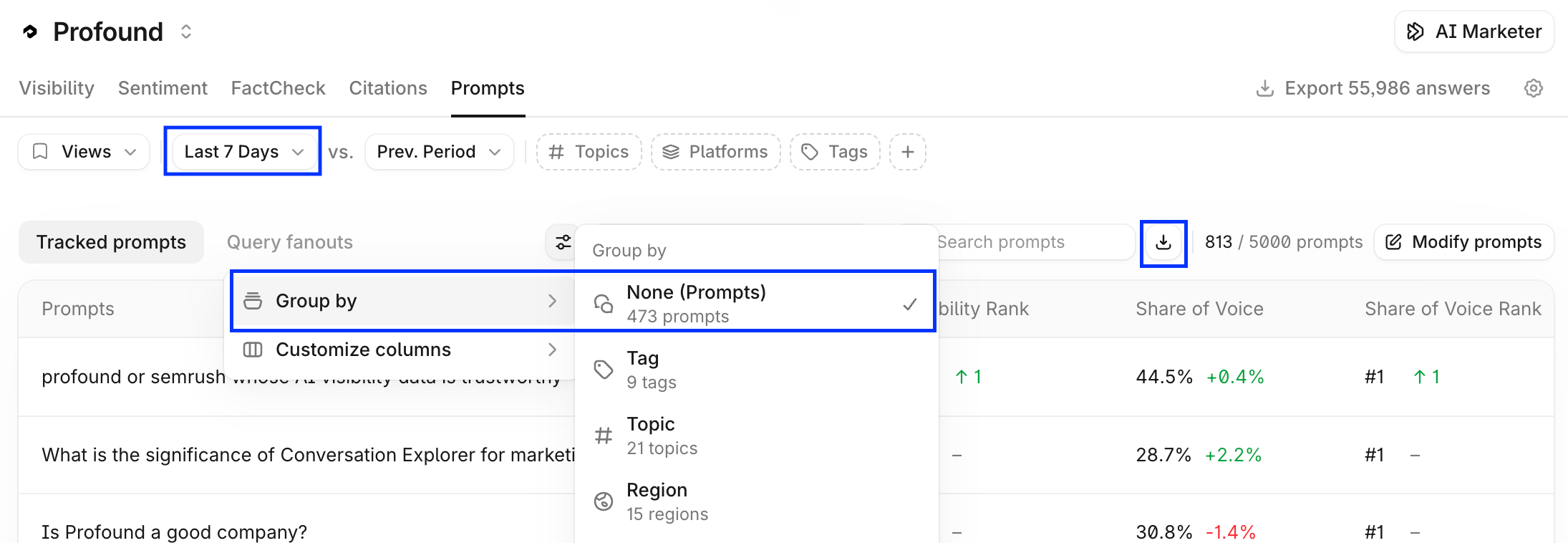 Prompt exports include tracked prompts and their key performance indicators.
Prompt export fields include:
* Prompt
* Topic
* Tags
* Visibility
* Average Position
* Citation Share
* Citation Ranks
* Executions
### Export topics
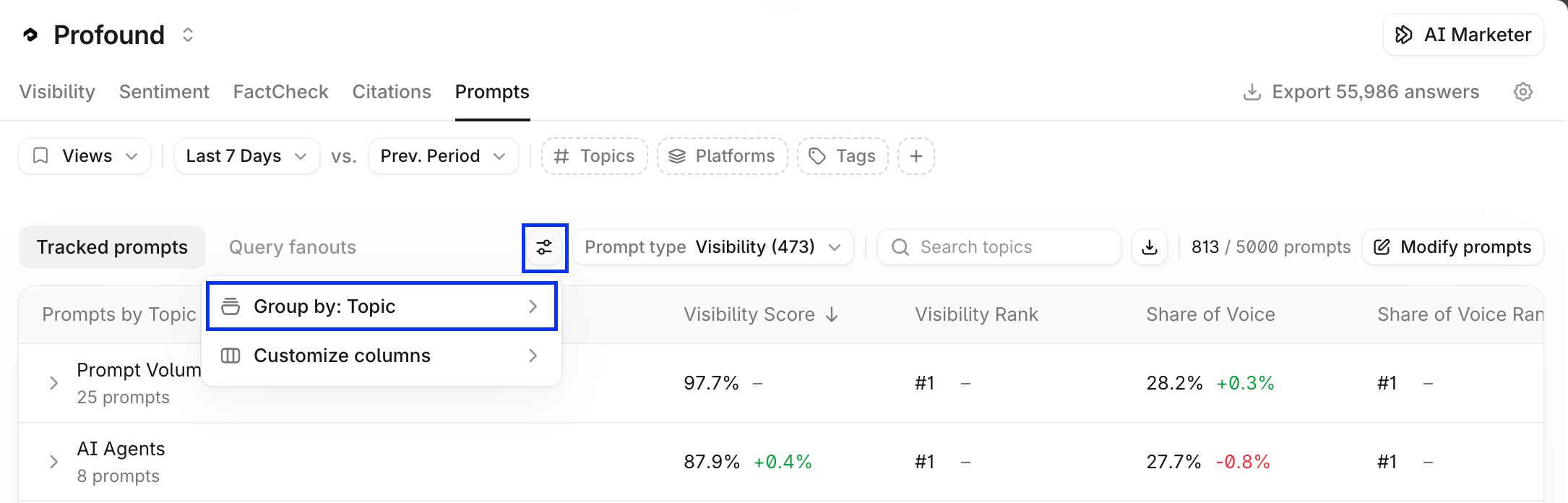
In **Answer Engine Insights > Prompts**, apply the **Group by: Topic** filter to the prompts table. Then, copy or download the CSV or JSON the same way.
Prompt exports include tracked prompts and their key performance indicators.
Prompt export fields include:
* Prompt
* Topic
* Tags
* Visibility
* Average Position
* Citation Share
* Citation Ranks
* Executions
### Export topics
In **Answer Engine Insights > Prompts**, apply the **Group by: Topic** filter to the prompts table. Then, copy or download the CSV or JSON the same way.
 Select **Open in Sheets** to feed your exported prompts directly to your Agents. Learn more in [Getting started with Sheets](/sheets/getting-started).