> ## Documentation Index
> Fetch the complete documentation index at: https://docs.tryprofound.com/llms.txt
> Use this file to discover all available pages before exploring further.
# プロンプトとトピックをエクスポートする
> Answer Engine Insights からプロンプトとトピックをダウンロードまたはコピーします
プロンプトとトピックは、[**Answer Engine Insights > Prompts**](/ja-jp/answer-engine-insights/interpret#prompts) タブと [Prompt Designer](/ja-jp/answer-engine-insights/prompt-designer) の 2 か所でエクスポートできます。エクスポートでは、JSON 形式と CSV 形式でのファイルのダウンロードやデータのコピーに対応しています。
## Prompt Designer でエクスポートする
### プロンプトをエクスポートする
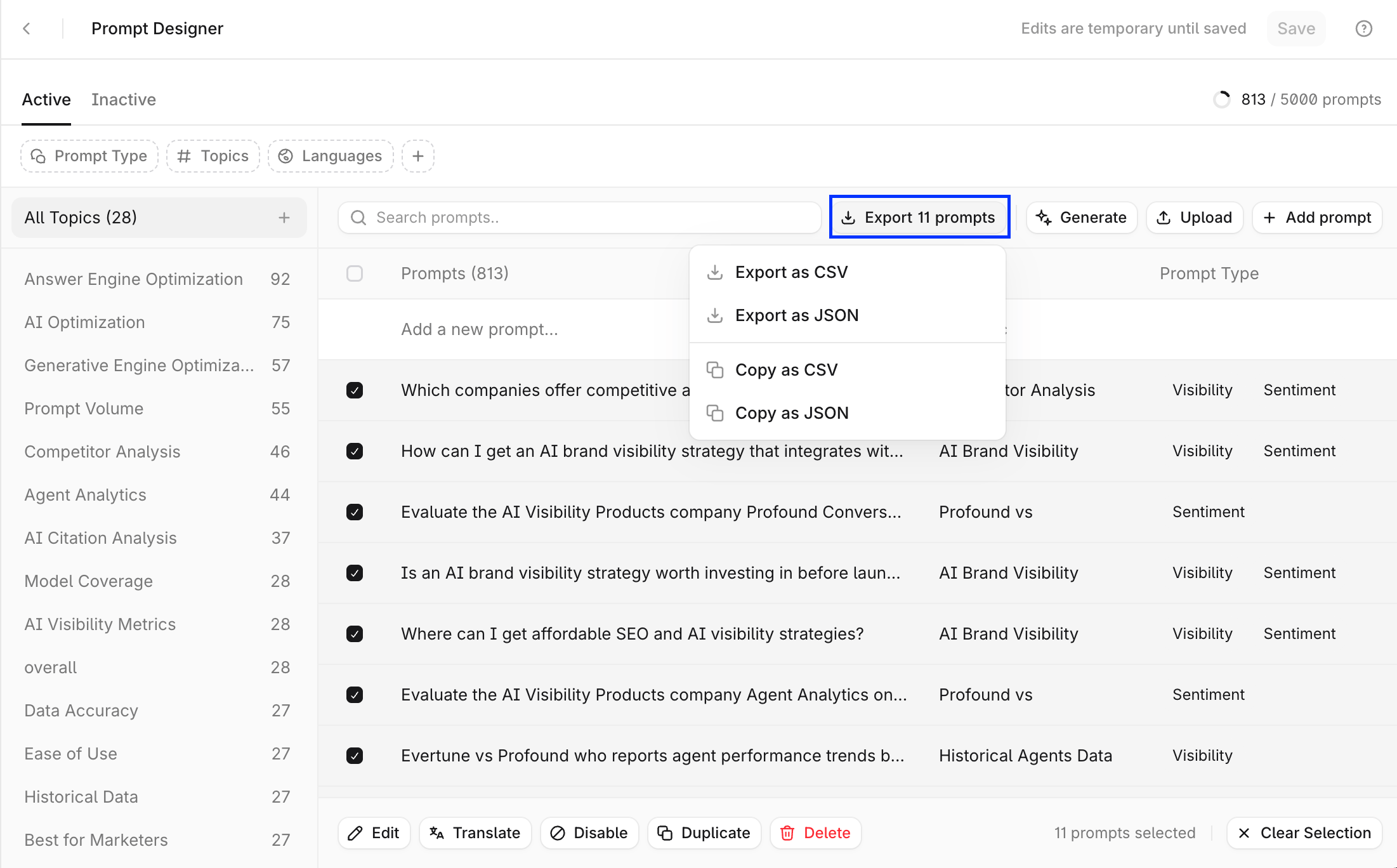
Prompt Designer の表で、エクスポートしたいプロンプトを選択します。次に、表の上部にある **Export prompts** を選択します。
 ### トピックをエクスポートする
Prompt Designer はトピックのエクスポートには対応していませんが、トピック内のすべてのプロンプトをエクスポートできます。
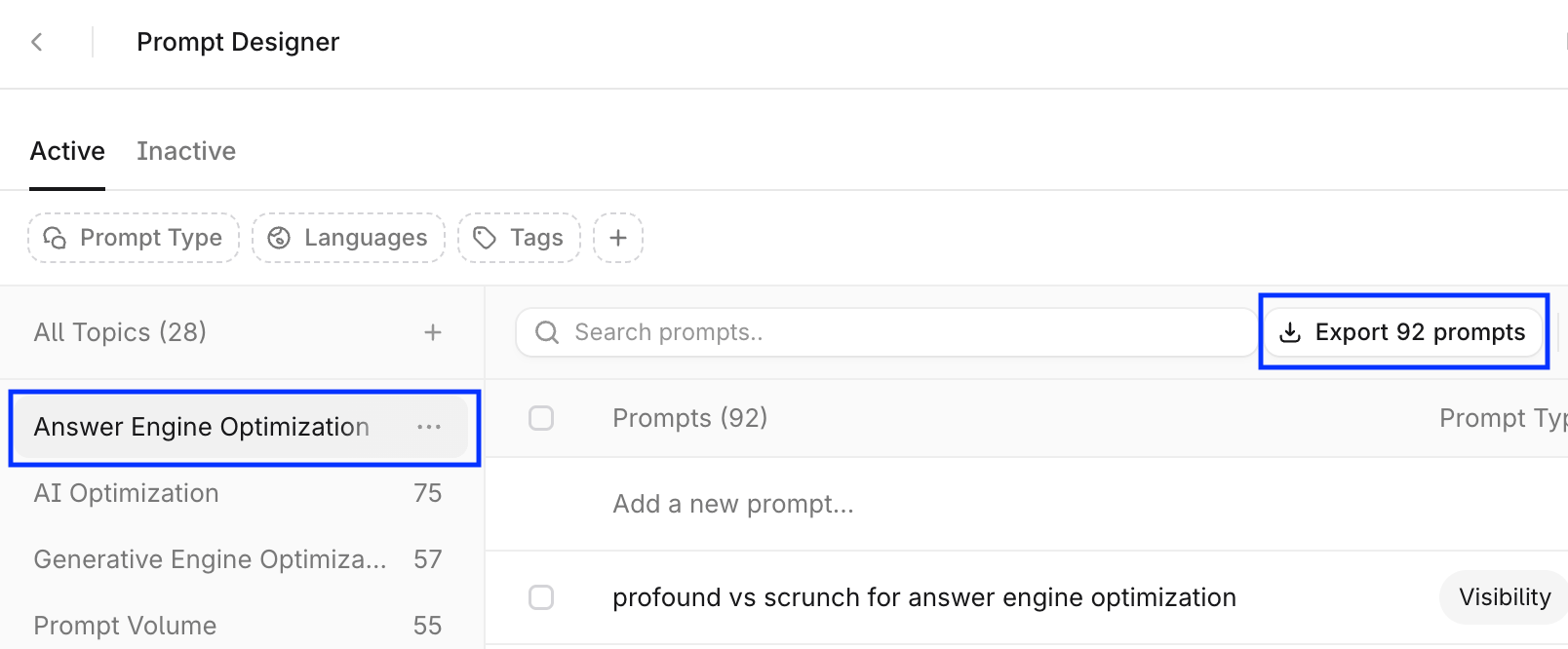
* トピックパネルでトピックを選択します。これにより、そのトピック内のすべてのプロンプトが選択されます。
* 表の右上にある **Export prompts** を選択します。
### トピックをエクスポートする
Prompt Designer はトピックのエクスポートには対応していませんが、トピック内のすべてのプロンプトをエクスポートできます。
* トピックパネルでトピックを選択します。これにより、そのトピック内のすべてのプロンプトが選択されます。
* 表の右上にある **Export prompts** を選択します。
 ## Answer Engine Insights でエクスポートする
### プロンプトをエクスポートする
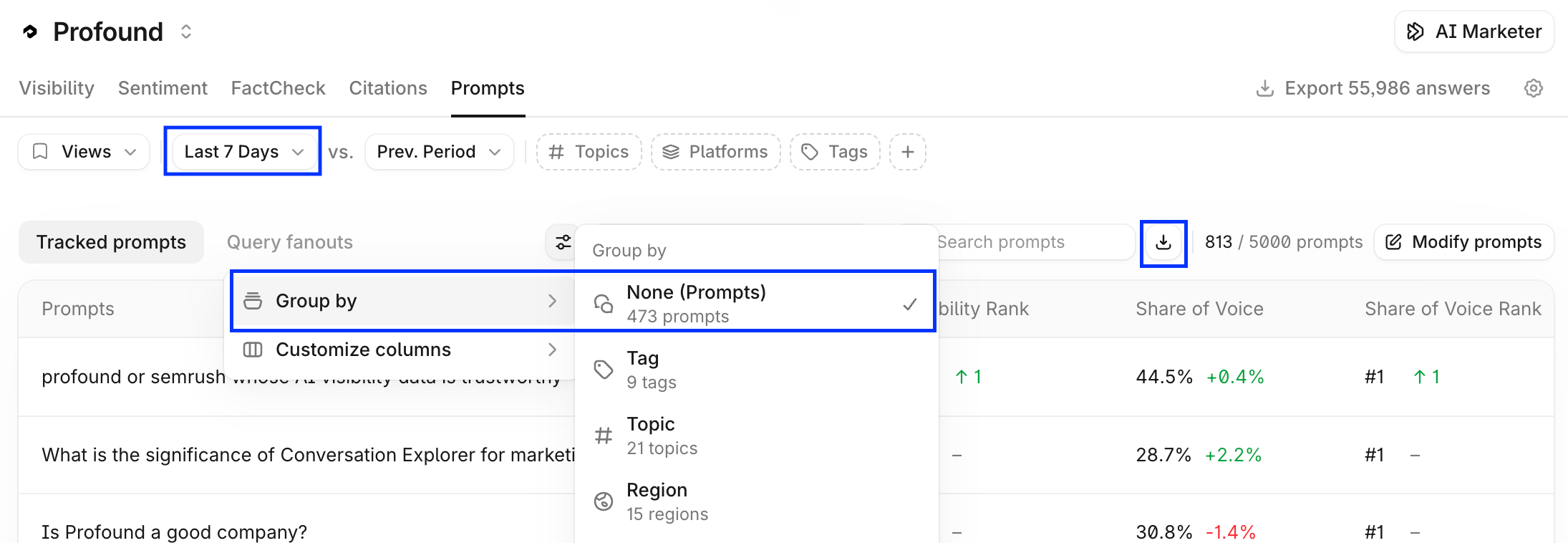
**Answer Engine Insights > Prompts** で、検索フィールドの横にあるダウンロードアイコンを選択します。プロンプトの一覧全体をエクスポートするには、期間を選択し、**Group By** フィルターが適用されていないことを確認してください。
## Answer Engine Insights でエクスポートする
### プロンプトをエクスポートする
**Answer Engine Insights > Prompts** で、検索フィールドの横にあるダウンロードアイコンを選択します。プロンプトの一覧全体をエクスポートするには、期間を選択し、**Group By** フィルターが適用されていないことを確認してください。
 プロンプトのエクスポートには、追跡中のプロンプトとその主要業績評価指標が含まれます。
プロンプトのエクスポートに含まれるフィールド:
* Prompt
* Topic
* Tags
* Visibility
* Average Position
* Citation Share
* Citation Ranks
* Executions
### トピックをエクスポートする
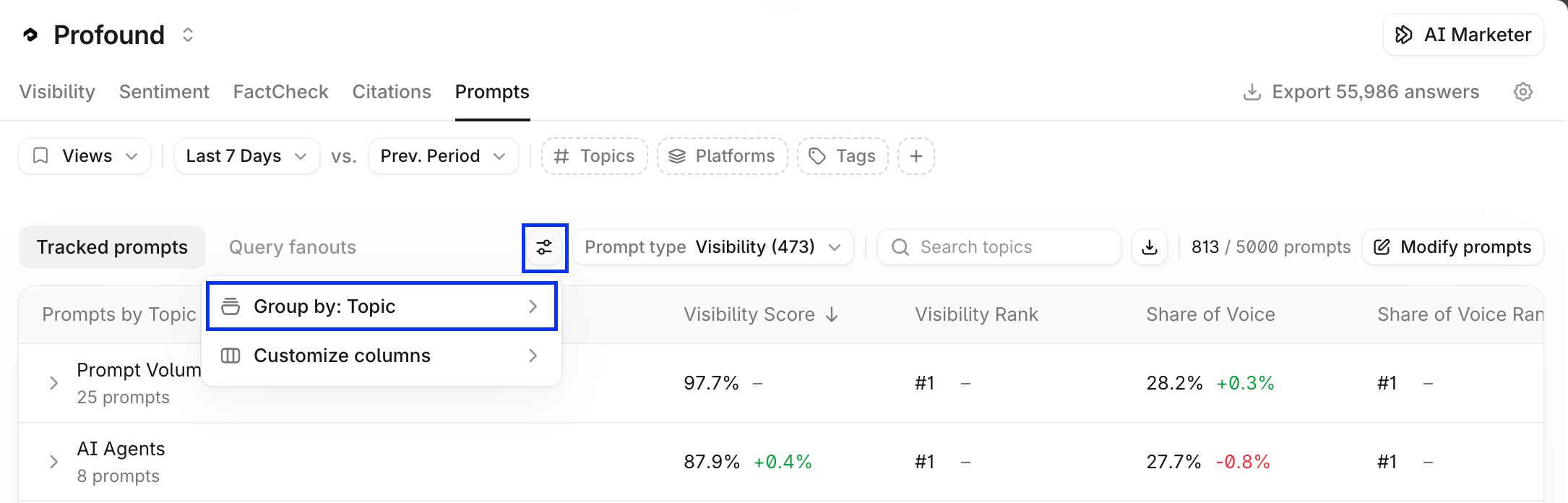
**Answer Engine Insights > Prompts** で、プロンプトの表に **Group by: Topic** フィルターを適用します。その後、同じ方法で CSV または JSON をコピーまたはダウンロードします。
プロンプトのエクスポートには、追跡中のプロンプトとその主要業績評価指標が含まれます。
プロンプトのエクスポートに含まれるフィールド:
* Prompt
* Topic
* Tags
* Visibility
* Average Position
* Citation Share
* Citation Ranks
* Executions
### トピックをエクスポートする
**Answer Engine Insights > Prompts** で、プロンプトの表に **Group by: Topic** フィルターを適用します。その後、同じ方法で CSV または JSON をコピーまたはダウンロードします。
 **Open in Sheets** を選択すると、エクスポートしたプロンプトを Agents に直接渡せます。詳しくは [Sheets を始める](/ja-jp/sheets/getting-started)をご覧ください。