

Access Tool
Requirements
API Access
Valid API key with permissions to access desired endpoints
Internet Connection
Stable connection to access the export tool
How to Use
1
Open Tableau Desktop
Launch Tableau Desktop (version 10.4 or higher required)
2
Connect via WDC
Select More on the left side of the screen and search for Web Data Connector: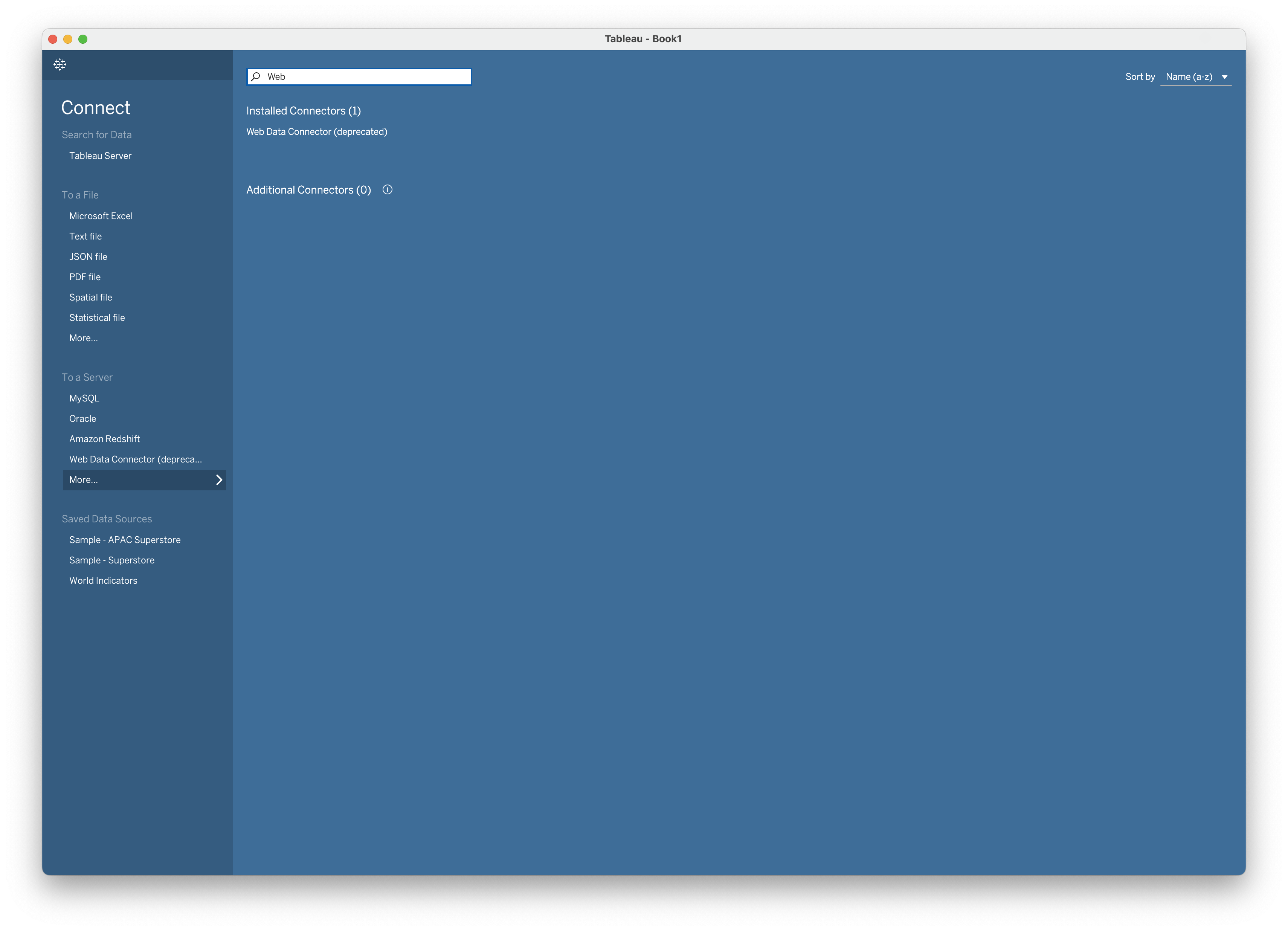
3
Connect via WDC
Enter the tool URL: 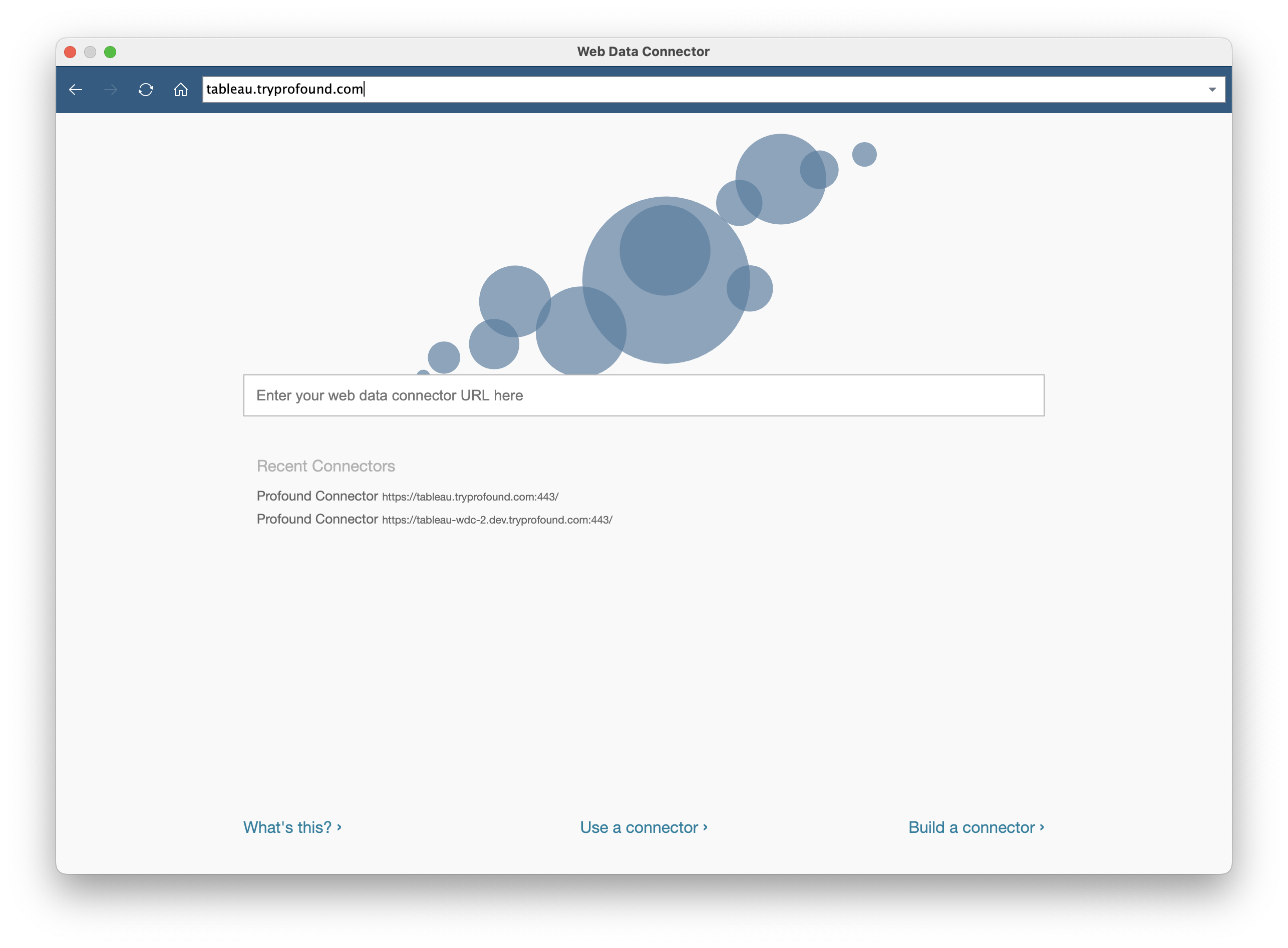
https://tableau.tryprofound.com/4
Authorize Connection
Enter your API key when prompted. Select Access when ready: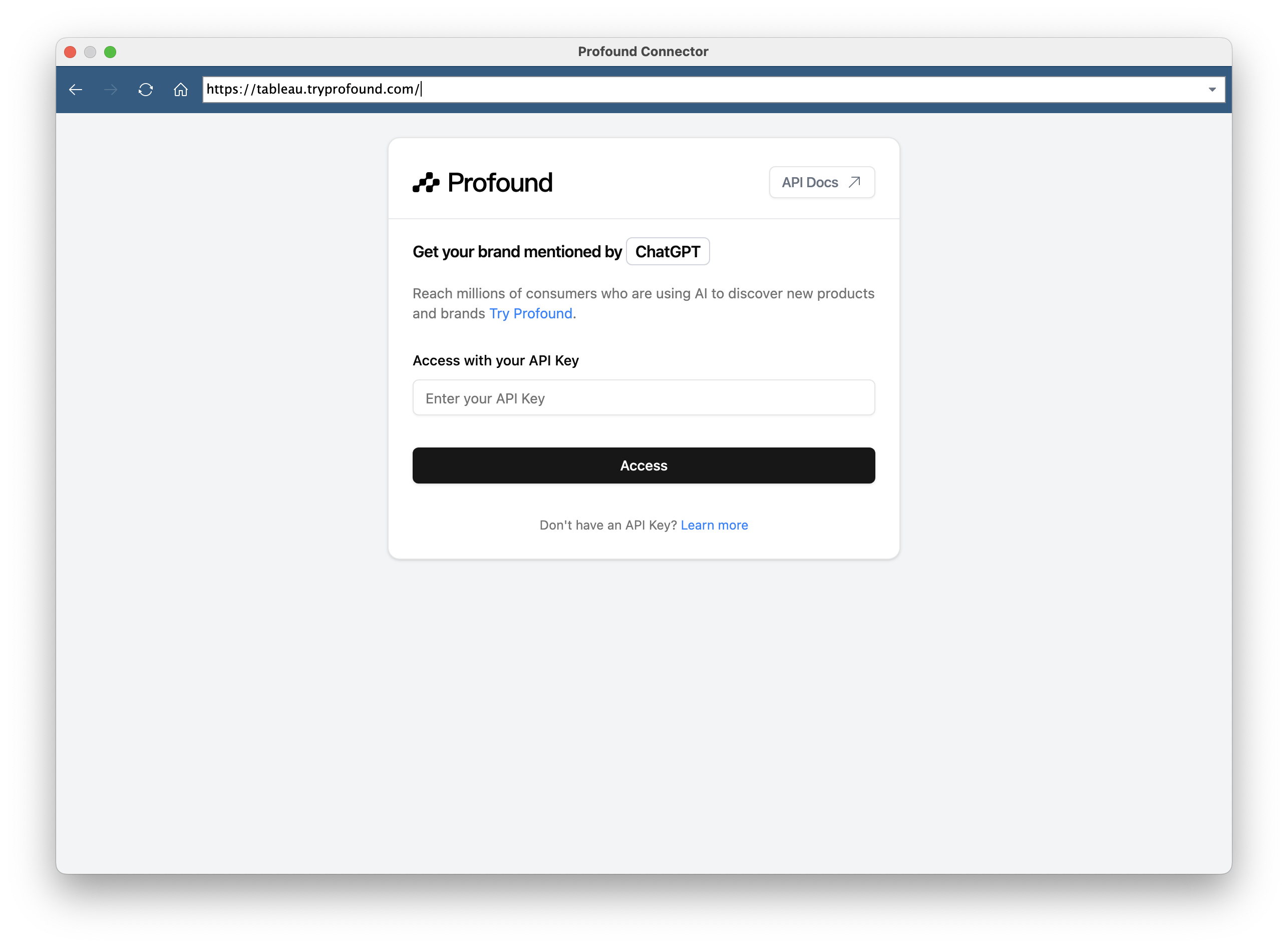
5
Select Data Source
Select the desired data and configure any additional filters: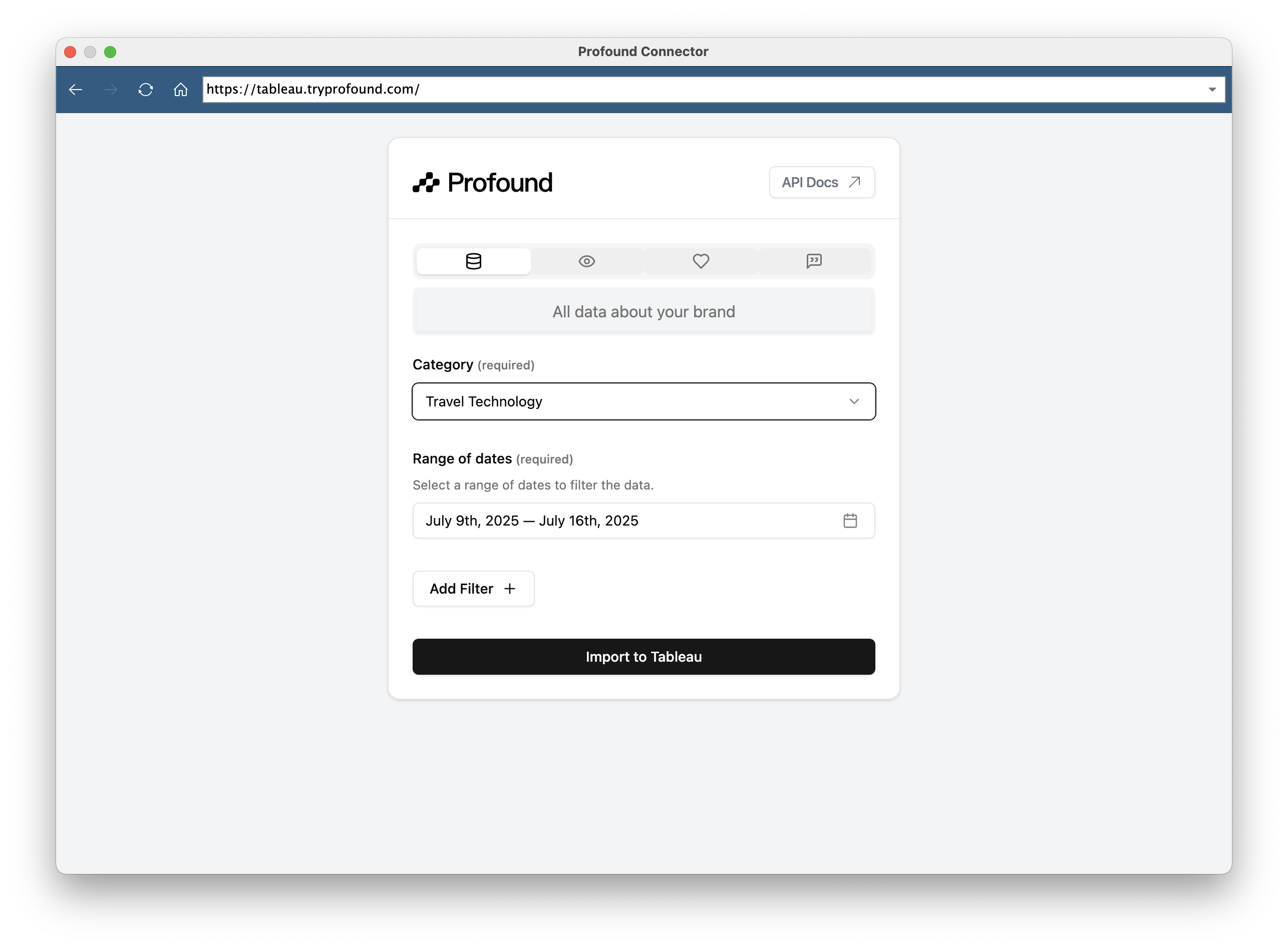
6
Import to Tableau
Click Import to Tableau to import data directly into your Tableau workspace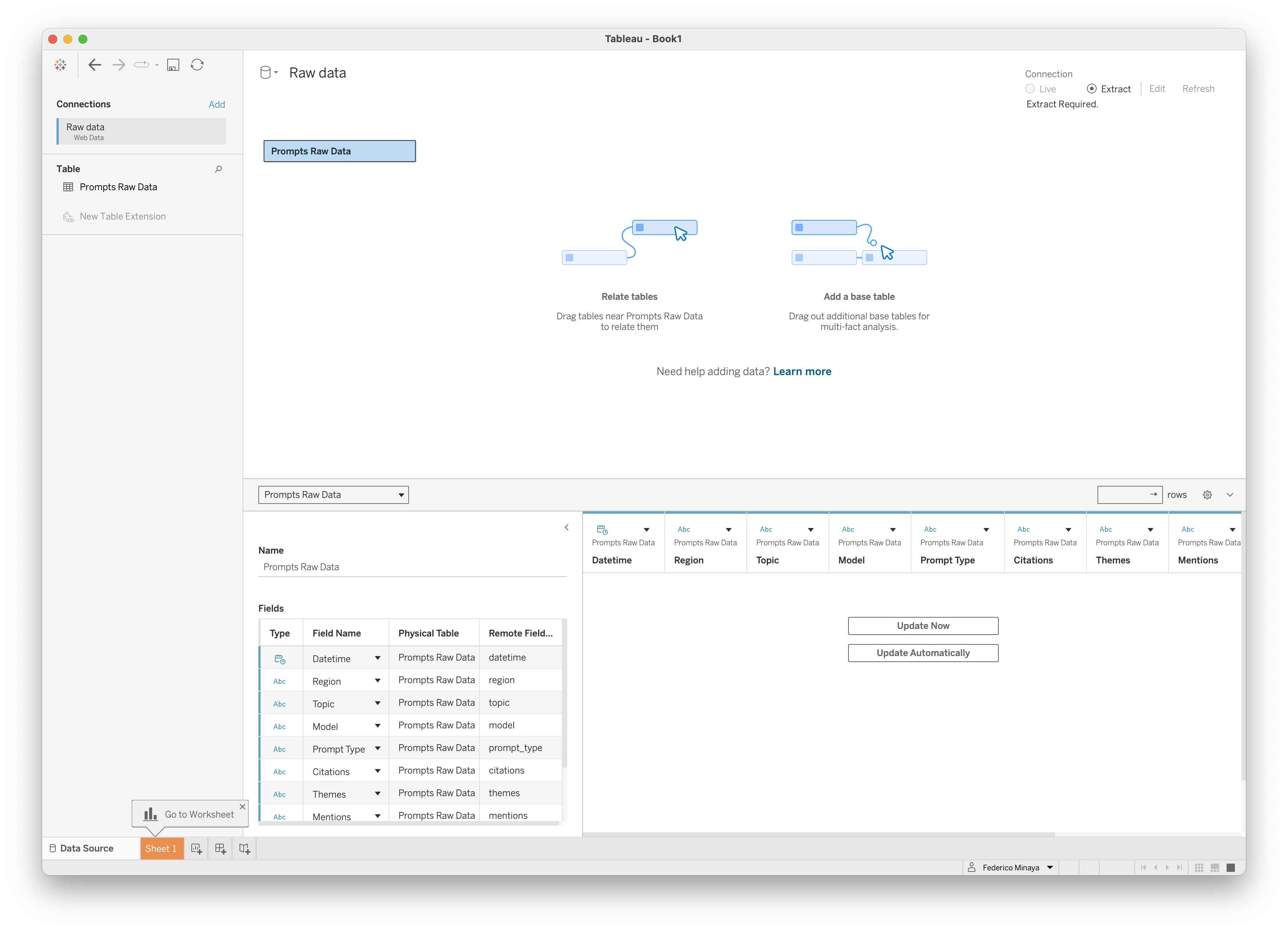
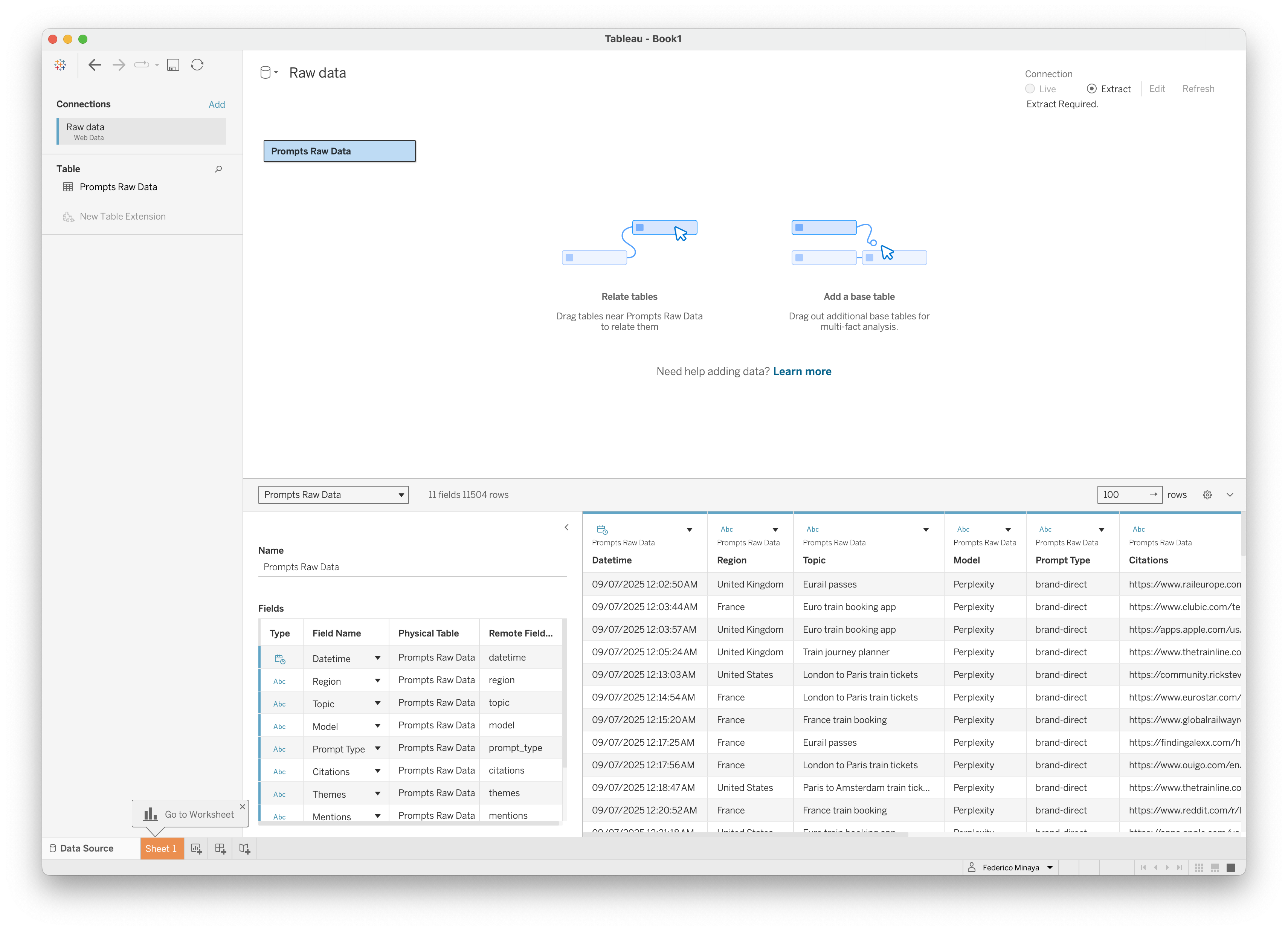
Available Data Sources
- Report Endpoints: Pre-processed analytics and summary data
- Raw Data: Unprocessed data directly from database
Troubleshooting
Invalid API Key
Invalid API Key
Solutions:
- Verify API key is correct and active
No Data Available
No Data Available
Solutions:
- Verify the selected endpoint contains data for your filters
- Check date ranges aren’t too restrictive
- Confirm API key has access to the requested data
Export Timeout
Export Timeout
Solutions:
- Try reducing the data range
- Use more specific filters to limit data volume
- Contact support if large exports are needed regularly
Tableau Connection Issues
Tableau Connection Issues
Tableau integration uses WDC 2.0, which works with most Tableau Desktop versions
- Ensure Tableau Desktop 10.4 or higher
- Check firewall settings allow WDC connections
- Verify the tool URL is correctly entered in Tableau
Technical Notes
- Data Types: Automatic detection and formatting for dates, numbers, and text
- File Size: Large exports may take additional time to process
- Refresh: Tableau connections can be refreshed to get updated data