

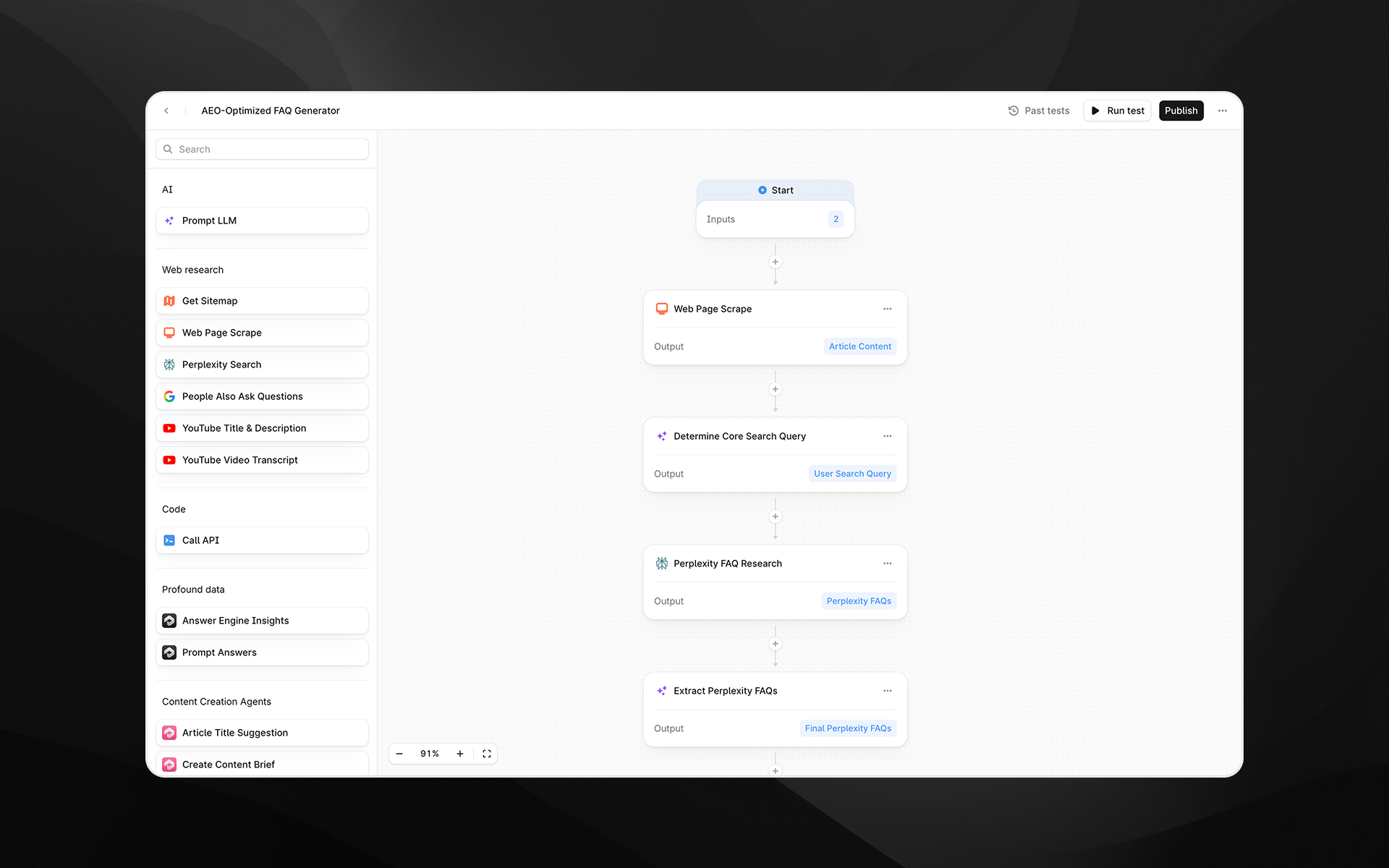
Overview
Profound Workflows is a modular, node-based Workflow Builder that lets your team automate the full AEO cycle, from pulling live visibility data all the way to publishing optimized content into your CMS. It brings together Profound’s AEO data, leading AI models, and the tools your team already uses into a single, connected pipeline. Workflows use cases include:- Running Answer Engine Insights reports and automatically sending them to your team via Slack.
- Identifying content gaps and automatically creating optimized content to fill those gaps.
- Detecting underperforming content and automatically updating it to perform better in AI search.
How Workflows work
A Workflow is built on a visual canvas made up of nodes. Each node performs a specific task: querying Profound data, prompting an AI model, fetching content from the web, or publishing to a connected platform. Nodes are connected in sequence, and data passes between them as variables. This structure means you can build workflows of any complexity: a simple two-step Workflow that drafts a content brief and sends it to Slack, or a multi-step pipeline that pulls visibility data, identifies content gaps, generates optimized articles, and publishes them directly to your CMS.Workflow components
Every Workflow is made up of the same building blocks:- Inputs — Information you provide each time you start a Workflow. Inputs can include text, Profound data, files, or dropdown selections.
- Nodes — The steps of your Workflow. Each node performs a specific task, like querying data, generating content, sending a message, or publishing to a CMS.
- Variables — Every piece of data that flows in and out of a node. Variables can be passed between steps and reused at any point in the workflow.
- Workflow output — The final result produced after all steps run. This can be generated content, a published article, a Slack notification, or a confirmation that the Workflow ran successfully.