

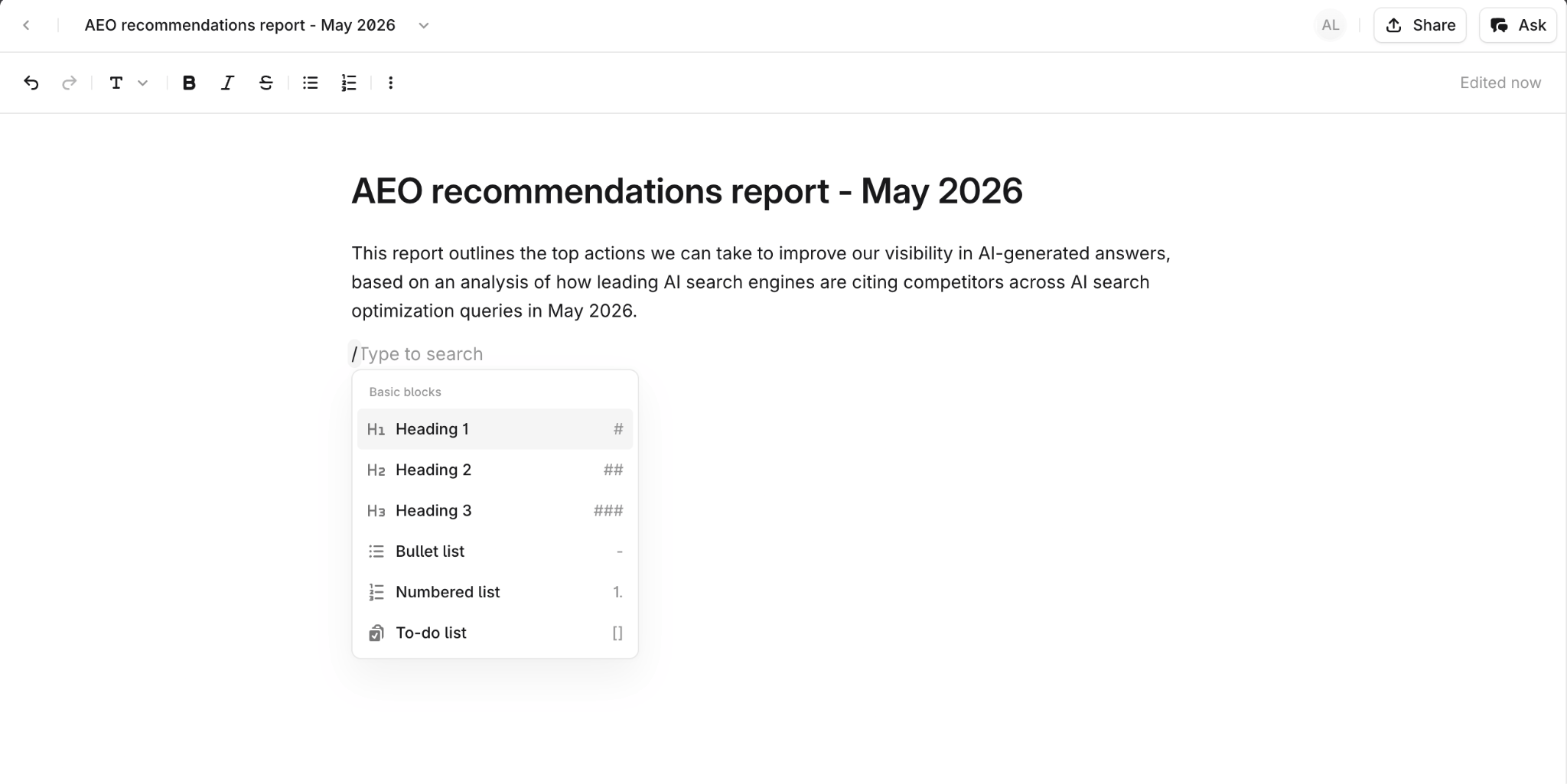
A persistent home for generated content
Documents give every platform tool output a place to live inside Profound. Instead of exporting or copying, open the result directly in a Profound Document, edit it in place, and share it with your team. Your colleagues can join in real time, leave comments, and iterate on the content alongside you. Agents can also read and write to Documents programmatically through Profound Docs Agent nodes, so you can build workflows where Documents act as the handoff point between one Agent and the next.Key features
Rich text editor
Write and format content using an inline toolbar or slash command menu. The editor supports the formatting you’d expect: headings, lists, bold text, links, and more.Real-time collaboration
Multiple people can work on the same Document at once. Collaborator avatars appear on the page so you always know who’s viewing or editing.Comments with resolution
Leave inline comments on any part of a Document, reply to threads, and resolve them when the feedback is addressed.Integration with Agents and Aim
Agents and AI Marketer can create, read, update, and delete Documents.Sharing inside and outside your organization
Share a Document with colleagues in your organization, or with people outside it, such as clients, agencies, and partners. Everyone you invite to view the document needs a Profound account. People who don’t have one yet are prompted to create a free account when you share with them.Getting started
Step 1: Create a Document
To create a Document manually, go to docs.profound.new to open a blank Document instantly, or select Documents from the left navigation sidebar in Profound. To save an Agent output into a Profound Document, include Profound Docs Agent nodes (Create Doc or Update Doc) in any content Agent. Alternatively, go into any Agent’s Past runs and open the output in Documents.Step 2: Iterate
Once your generated content is ready, review your Document manually, then optionally feed the refined version into an Agent for further optimization.Step 3: Collaborate
Share the Document with colleagues in your Profound organization. They’ll see your real-time presence, can leave comments on any section, and can edit alongside you.Step 4: Share
Share the Document with other organizations or partners outside of Profound. Select Share in the top right of the Document and enter the person’s email address. Choose whether they can view, comment, or edit. Only the Document’s owner can invite people from other organizations; editors can’t share the Document further with external users. Documents shared across organizations are labeled as externally shared in your document list.A Document you receive from another organization belongs to that organization: you can’t add it to your Knowledge Base, and AI Marketer can’t reference it. To use its content in your own organization, duplicate the Document.