

When to use this node
Use YouTube Title & Description for tasks such as:- Analyzing how competitors position and describe video content
- Generating summaries, rewrites, or metadata optimizations using LLMs
- Pulling YouTube context into AEO, SEO, or content strategy Workflows
- Extracting structured information before running additional transformations
Node configuration
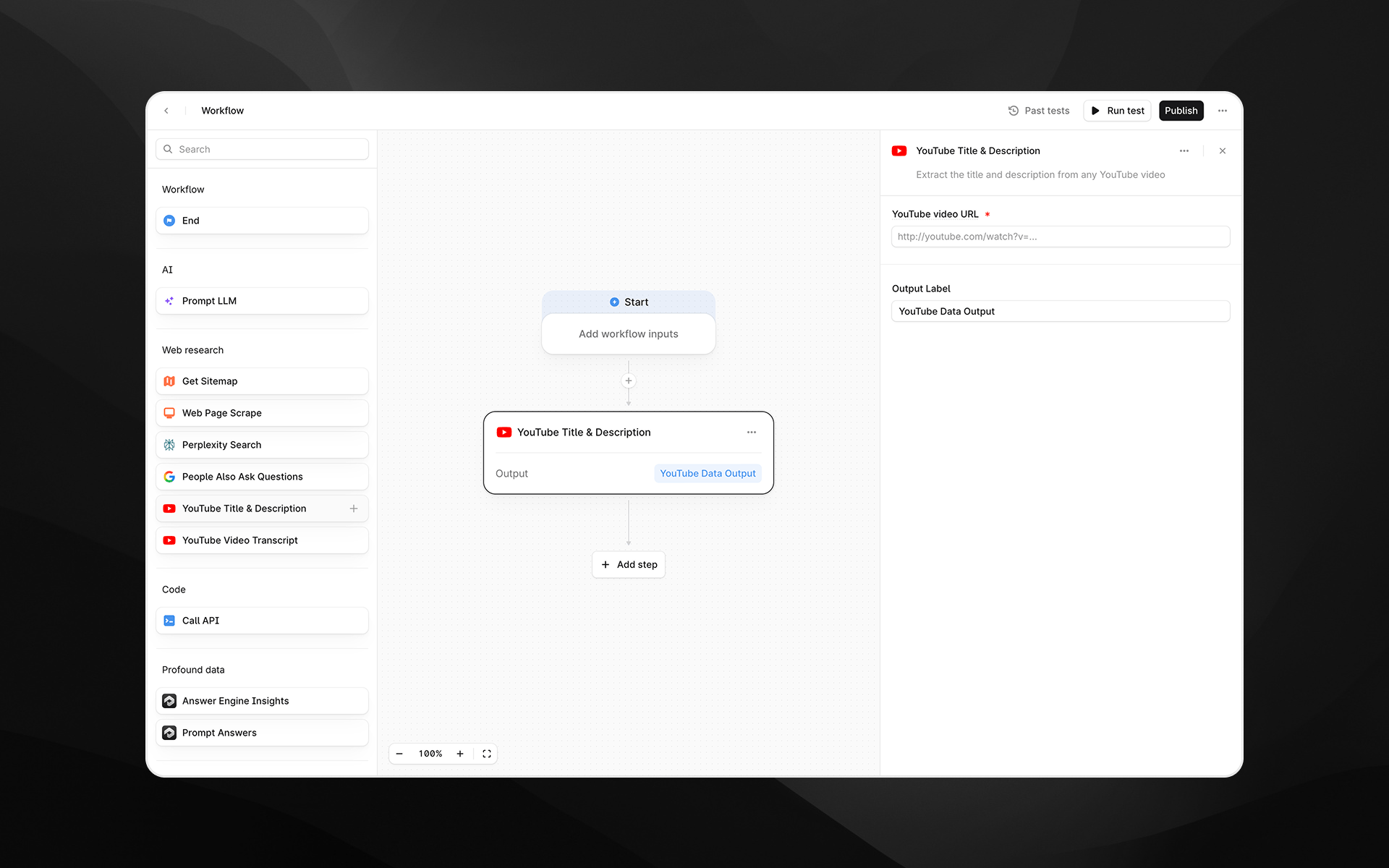
Selecting the YouTube Title & Description node opens its configuration panel on the right side of the Workflow Builder.YouTube video URL (required)
Enter the URL of the YouTube video you want to extract data from. You can:- Paste a direct YouTube watch URL
- Insert a variable from earlier Workflow steps by typing
/
https://www.youtube.com/watch?v=VIDEO_ID
Output Label
Provide a descriptive label for the output generated by this step. The label becomes the variable name that downstream steps reference. Examples:youtube_metadatavideo_infoyt_title_description
Output
This node returns a text output containing:- Video title
- Video description
- Prompt LLM steps (for summarization, rewriting, tone analysis, etc.)
- Content comparison Workflows
- Metadata optimization pipelines
- Any downstream step requiring structured text
Example usage
1. Analyze a competitor video description
- Add a YouTube Title & Description step with a competitor video link.
- Add a Prompt LLM step to interpret the content:
2. Rewrite metadata for optimization
- Add a Workflow input called
video_url. - Use YouTube Title & Description with
video_url. - Pass the output into a Prompt LLM node:
Best practices
- Ensure the video URL is publicly available; private or restricted videos cannot be accessed.
- Use descriptive output labels, especially when working with multiple videos.
- Combine with the YouTube Video Transcript node for deeper semantic analysis of video content.