

Add a Conditional
Click the + icon in the Agent builder and select Conditional. Alternatively, drag Conditional from the node selection menu into the workflow.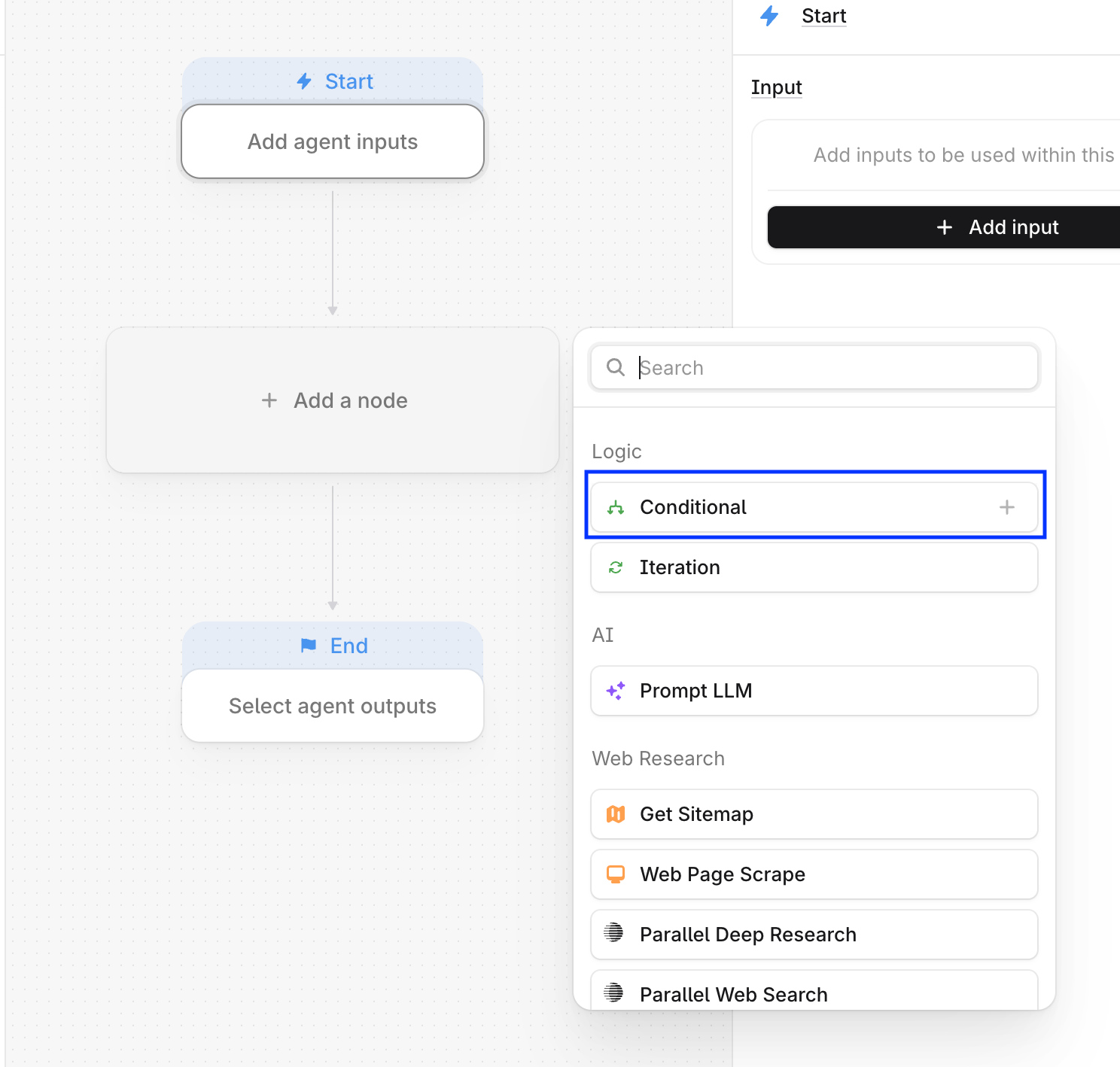
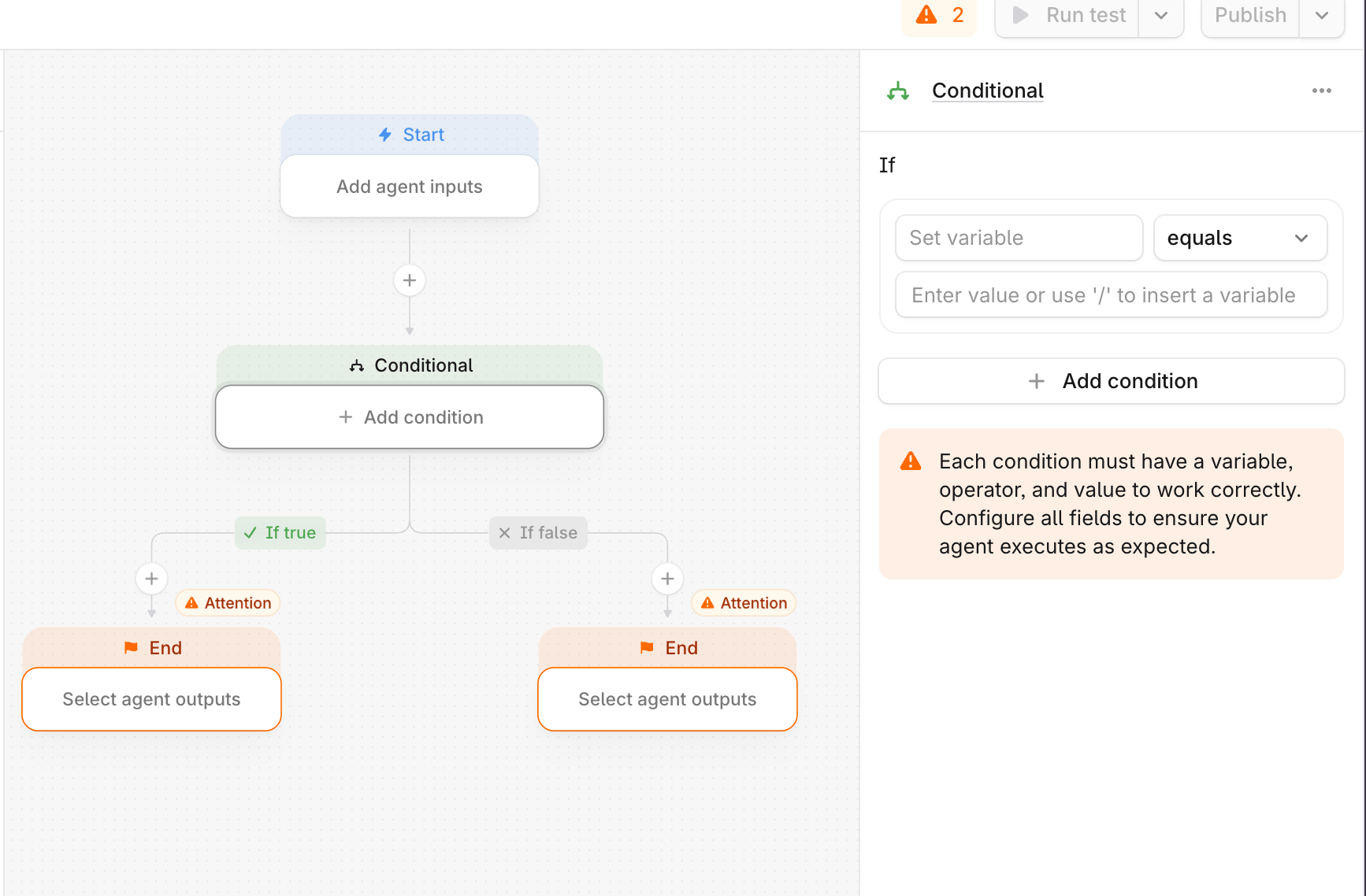
Configure conditions
When configuring a Conditional, select:- The variable to evaluate
- The evaluation operator (equals, greater than, less than, and so on)
- The value to compare it against
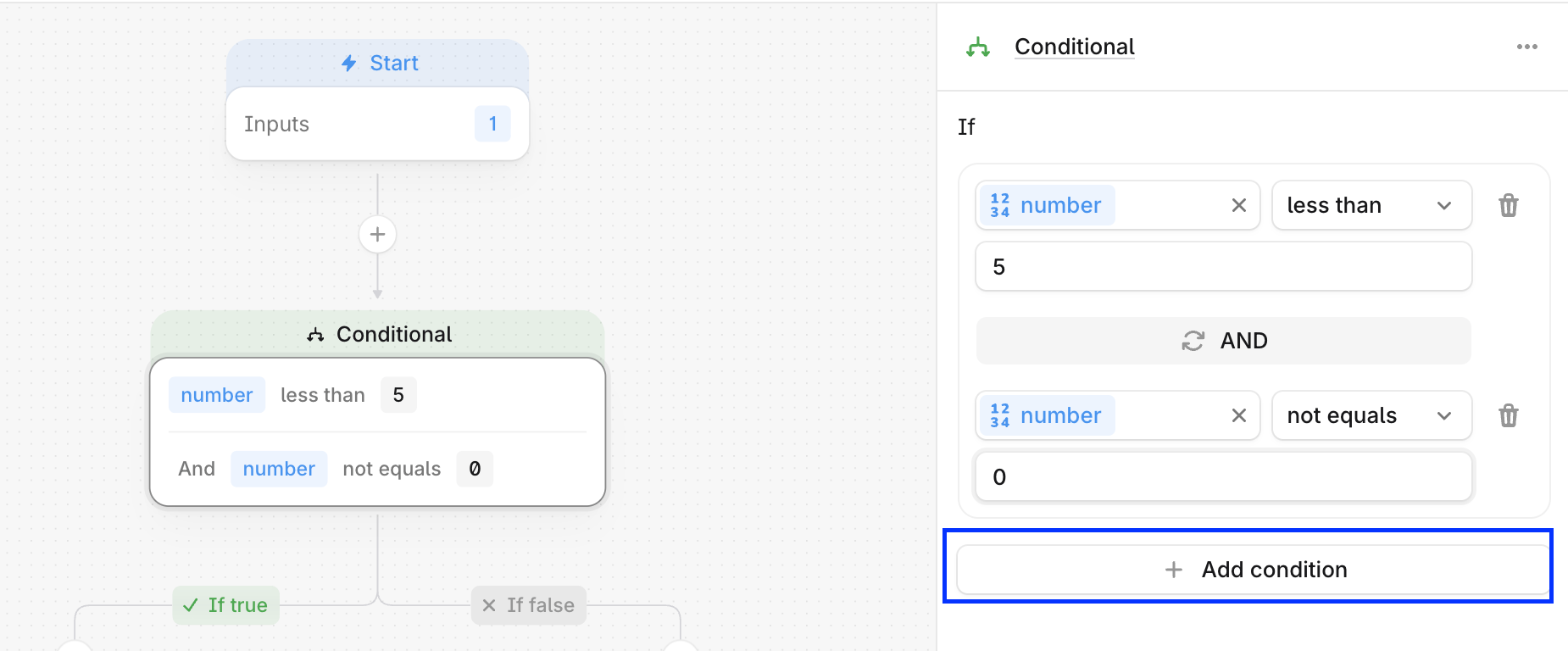
Conditional branch requirements
There are several requirements to ensure an Agent executes as expected:- The variable used in a condition must exist and must be created in a previous step
- Both branches must ultimately lead to an End step to complete the Agent run
- The evaluation operator must align with the input variable type:
- Numerical operators only work with numeric values. For example, greater than will not work on a string such as “Best AEO Tools”
- String operators only work on text strings. For example, contains will not work on a numeric value of 126