

When to use this node
Use the Prompt LLM node for tasks such as:- Summarizing search results or scraped content
- Drafting responses or structured outputs for further processing
- Extracting entities or insights from text
- Rewriting content for a specific audience or format
- Converting unstructured data into structured fields (e.g., JSON, bullet points)
Node configuration
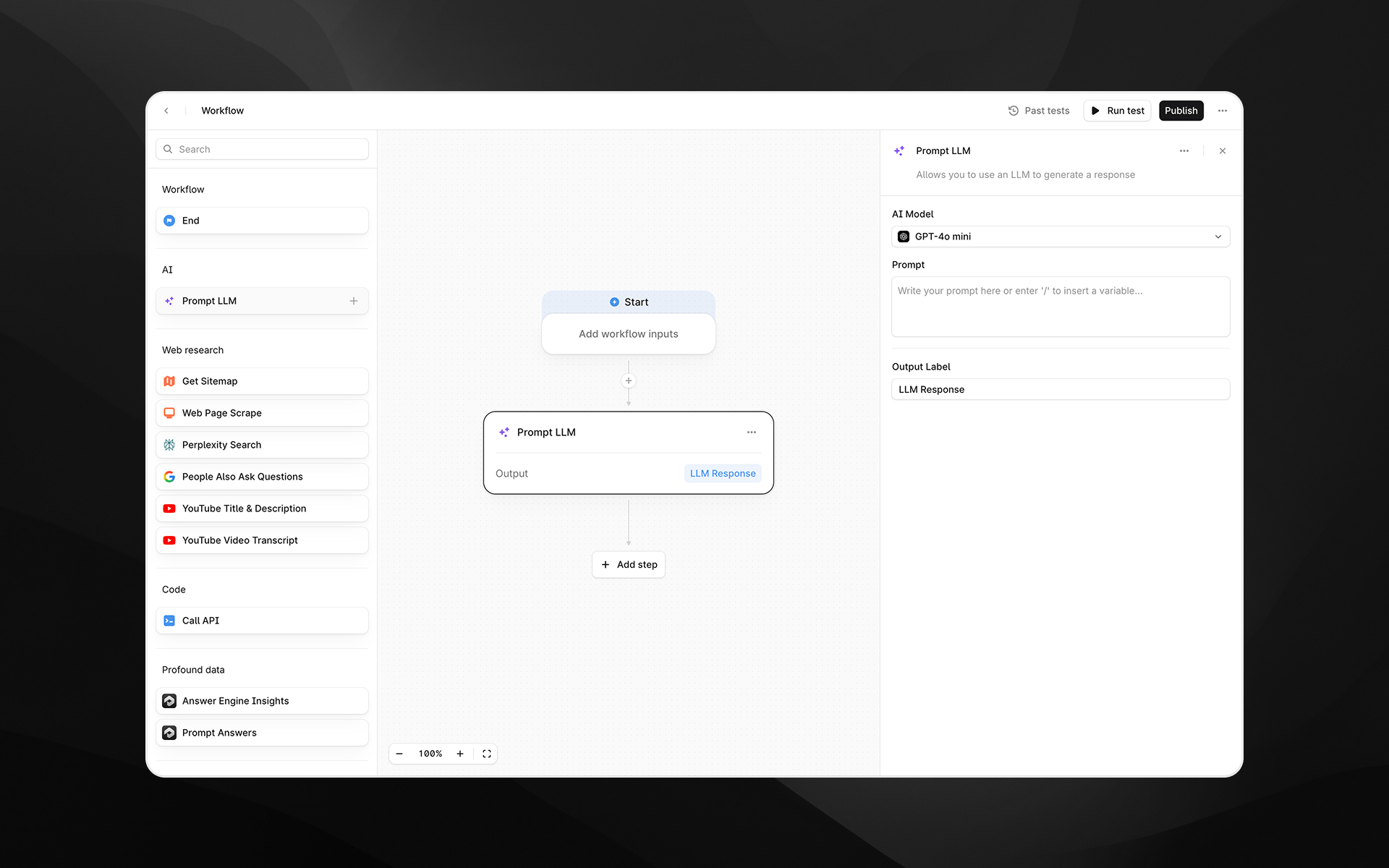
Selecting the Prompt LLM node opens its settings panel on the right side of the Agent builder. The node includes the following configuration fields.AI Model
Choose which model you want to generate the output. You can switch models at any time while designing the Agent. The selected model determines output quality, speed, and cost.Prompt
Write the instruction you want the model to follow. This is the core input that determines how the LLM will behave. You can:- Type plain text instructions
- Reference Agent inputs
- Insert variables from previous nodes by typing / to open the variable picker
Use Skill
Toggle this option to apply an existing product skill to text generation.Use Knowledge Base
Toggle this option if you want an LLM to use the information in your Knowledge Base for the task. Once toggled, select the entire Knowledge Base from the dropdown, or select specific folders in the retrieval settings menu.Structured Output
Define a JSON schema for the LLM response: add fields, define their data types (string, number, boolean, or list), and give them concise descriptions. This is particularly useful when working with Sheets. Learn more in the Getting started with Sheets guide.Output Label
Enter a descriptive label for this step’s output. The label you provide becomes the variable name accessible in later Agent steps.Examples:
analysis_summarybuyer_intent_scorecleaned_text
Output
The Prompt LLM node produces a single text or JSON output containing the LLM’s response. This output can be passed to downstream nodes such as:- Additional Prompt LLM steps
- API calls
- Profound data processing nodes
- Iteration node
Example usage
Below are common examples of how the Prompt LLM node may be used in Profound Agents.1. Summarize a scraped webpage
- Add a Web Page Scrape step.
- Add a Prompt LLM node.
- In the prompt, reference the scraped page content:
- Set the Output Label to
summary.
2. Extract entities from an answer engine result
- Use Profound data nodes to gather inputs.
- Add a Prompt LLM step to extract structured information:
- Use the resulting JSON output in downstream conditional logic.
3. Rewrite content for a specific audience
Best practices
- Be explicit. LLMs respond more reliably to detailed instructions.
- Define expected formats. Use bullet points, JSON, tables, or specific phrasing to control output structure.
- Reference only what you need. Avoid passing unnecessarily large content blocks unless required for the task.
- Name outputs clearly. Good labels make Agents easier to maintain and reuse.
Troubleshooting
The output is not in the format I expected
Add explicit instructions such as:- “Reply only in JSON.”
- “Provide exactly three bullet points.”
- “Do not include explanations.”
Variables do not appear in the prompt
Type/ while your cursor is in the Prompt field to open the variable picker.