

When to use this node
Use Web Page Scrape for tasks such as:- Gathering content from articles, landing pages, blog posts, or documentation
- Extracting text for summarization or competitive analysis
- Pulling structured content for use in downstream LLM prompts
- Normalizing webpage content before ingestion into other Agent steps
Node configuration
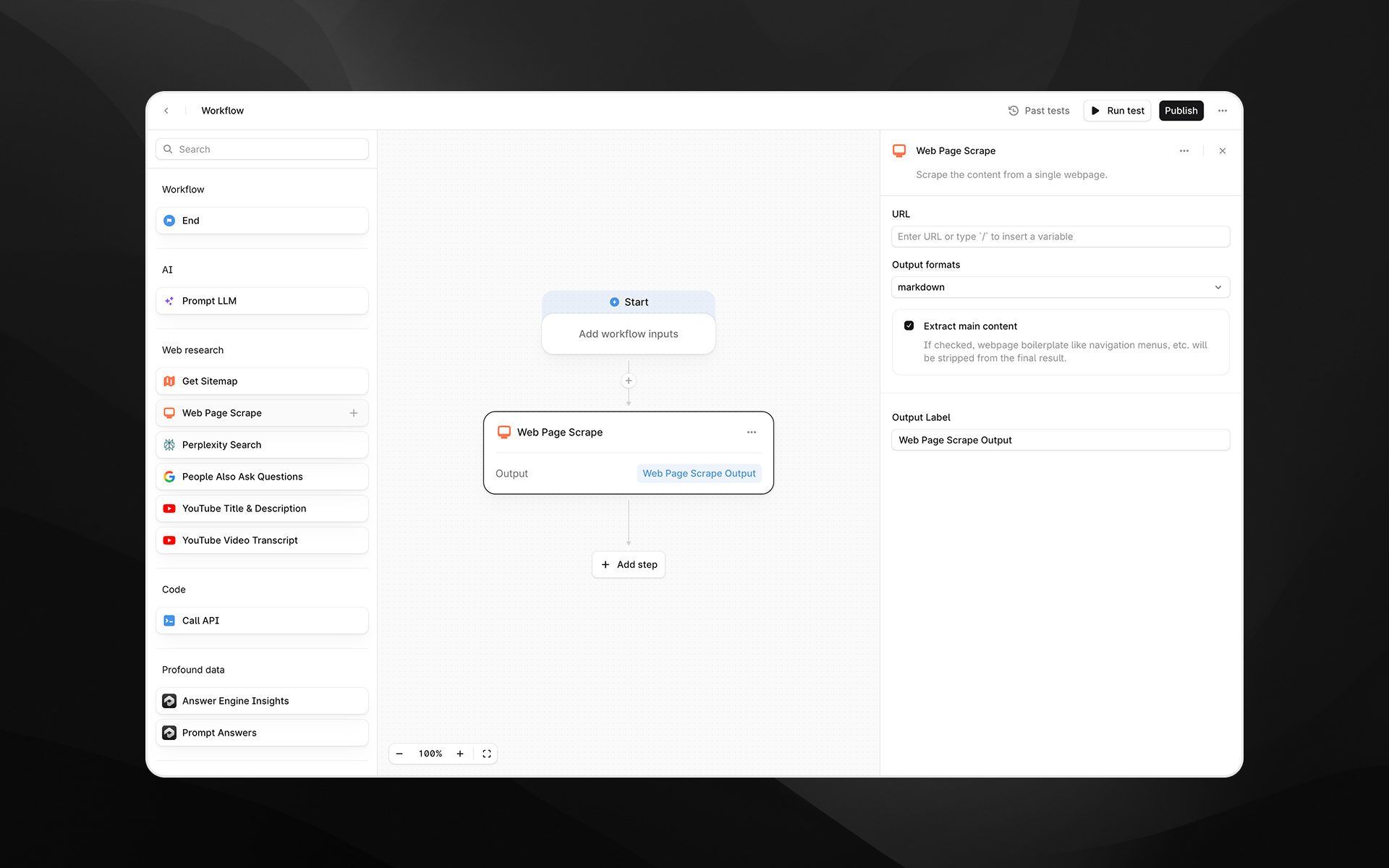
Selecting the Web Page Scrape node opens its configuration panel on the right side of the Agent Builder. This node includes the following fields.URL (required)
Enter the webpage URL you want to scrape. You can either:- Paste a static URL, or
- Insert a variable by typing
/to reference Agent inputs or outputs from previous steps
Render Output As
Choose the format for the scraped content. Available options:- Markdown – Returns cleaned, readable text suitable for LLM processing
- HTML – Returns the page’s HTML structure
Extract main content
When enabled, Profound attempts to remove navigation elements, ads, footers, boilerplate, and other non-core content. This generally results in a cleaner output focused on the primary article or body text. Disable this option if you need the full page content without filtering.Output Label
Provide a descriptive label for the output of this step. The label becomes the variable name you will reference in later Agent nodes. Examples:page_contentscraped_markdownraw_html
Output
This node returns a single text output containing the scraped page content in the selected format. The output can be used in:- Prompt LLM steps
- Additional research or parsing nodes
- API calls
- Any downstream transformation step
Example usage
1. Scrape and summarize a webpage
- Add a Web Page Scrape step and set the URL to the page you want to analyze.
- Choose Markdown as the output format.
- Add a Prompt LLM step that references the scraped content:
2. Extract structured data from HTML
- Scrape the page using the html format.
- Pass the HTML into a Prompt LLM step with extraction instructions:
Best practices
- Use Markdown output for the cleanest AI-ready text.
- Enable Extract main content when targeting article-style pages.
- If scraping fails, confirm that the URL is publicly accessible and does not require authentication.
- Keep output labels clear and descriptive to simplify downstream references.
Troubleshooting
The scraped content is empty or incomplete
This can occur if the page relies heavily on client-side rendering or uses anti-scraping protection. Try switching to html output for more raw content.Boilerplate text appears in the output
Ensure Extract main content is enabled to reduce clutter.The URL contains variables that are not resolving
Type/ to insert supported variables and avoid mismatched parameter names.