

Overview
Agent Analytics is Profound’s powerful tracking solution that provides comprehensive insights into user interactions on your website. In this guide, you’ll learn how to quickly add and configure a domain for tracking, allowing you to monitor traffic patterns, user behavior, and performance metrics. Setting up Agent Analytics takes just a few minutes and requires minimal technical expertise. Once configured, you’ll gain access to an intuitive dashboard that displays real-time data, helping you make informed decisions to optimize your website’s performance and enhance the user experience.Prerequisites
- A Profound account
- Access to your domain’s hosting provider (for example, Cloudflare, Vercel, etc.)
Onboarding
1
Step 1
Navigate to the Agent Analytics tab on the left sidebar.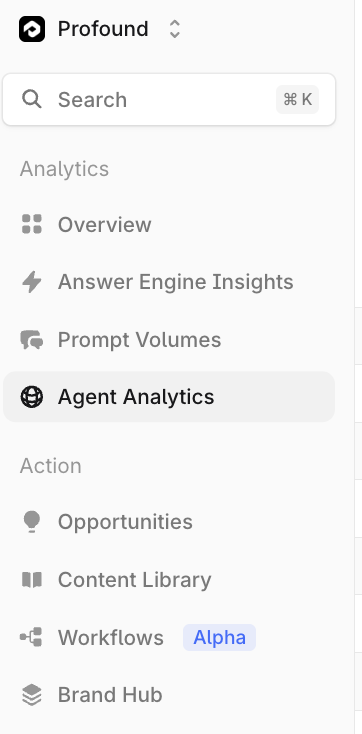
2
Step 2
If you are configuring your first domain, you can skip this step.
+ Add a new website from the dropdown menu or use the button in the top right.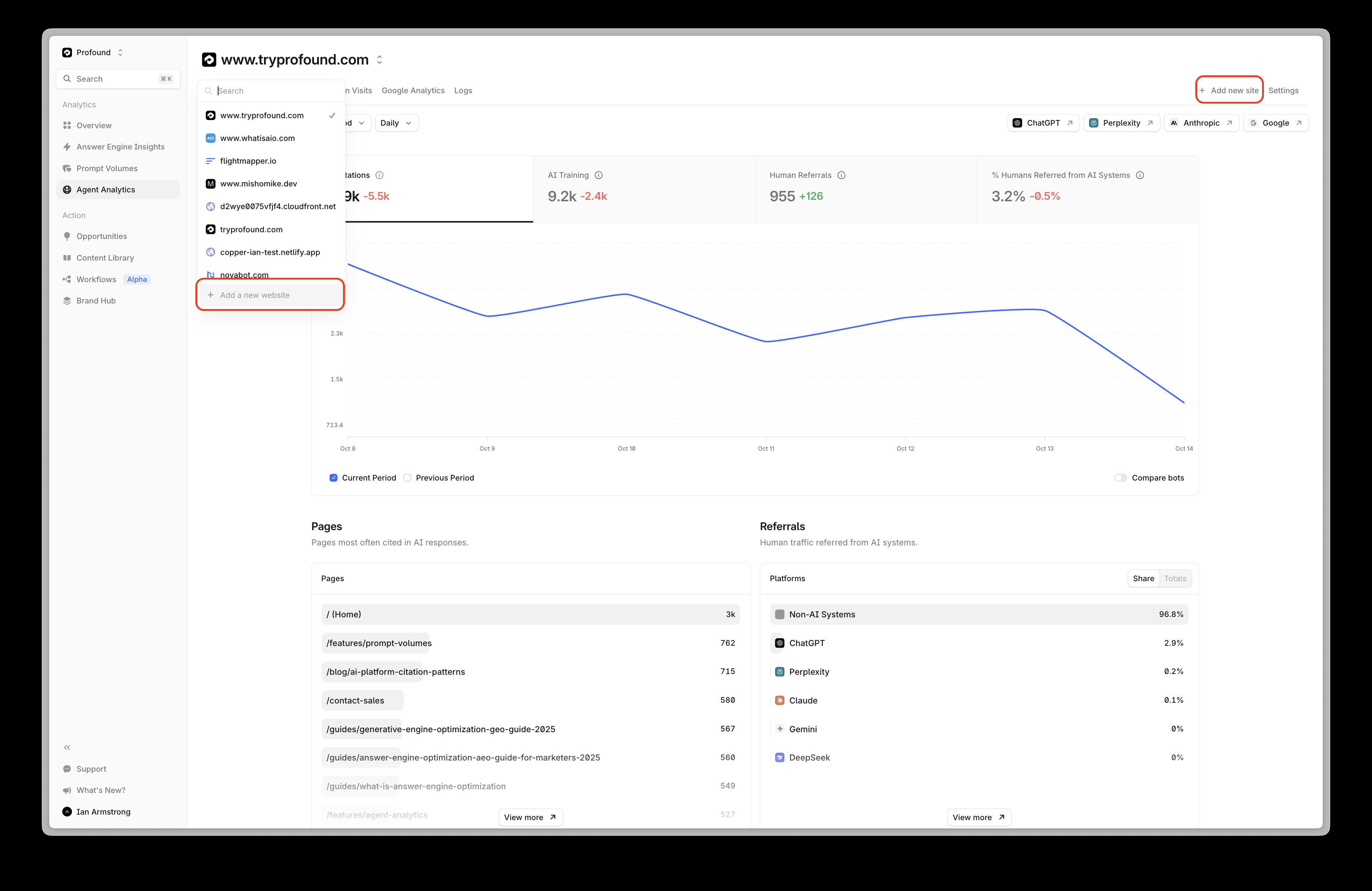
3
Step 3
You will then see the following window. Use the input field to enter the apex domain you want to track.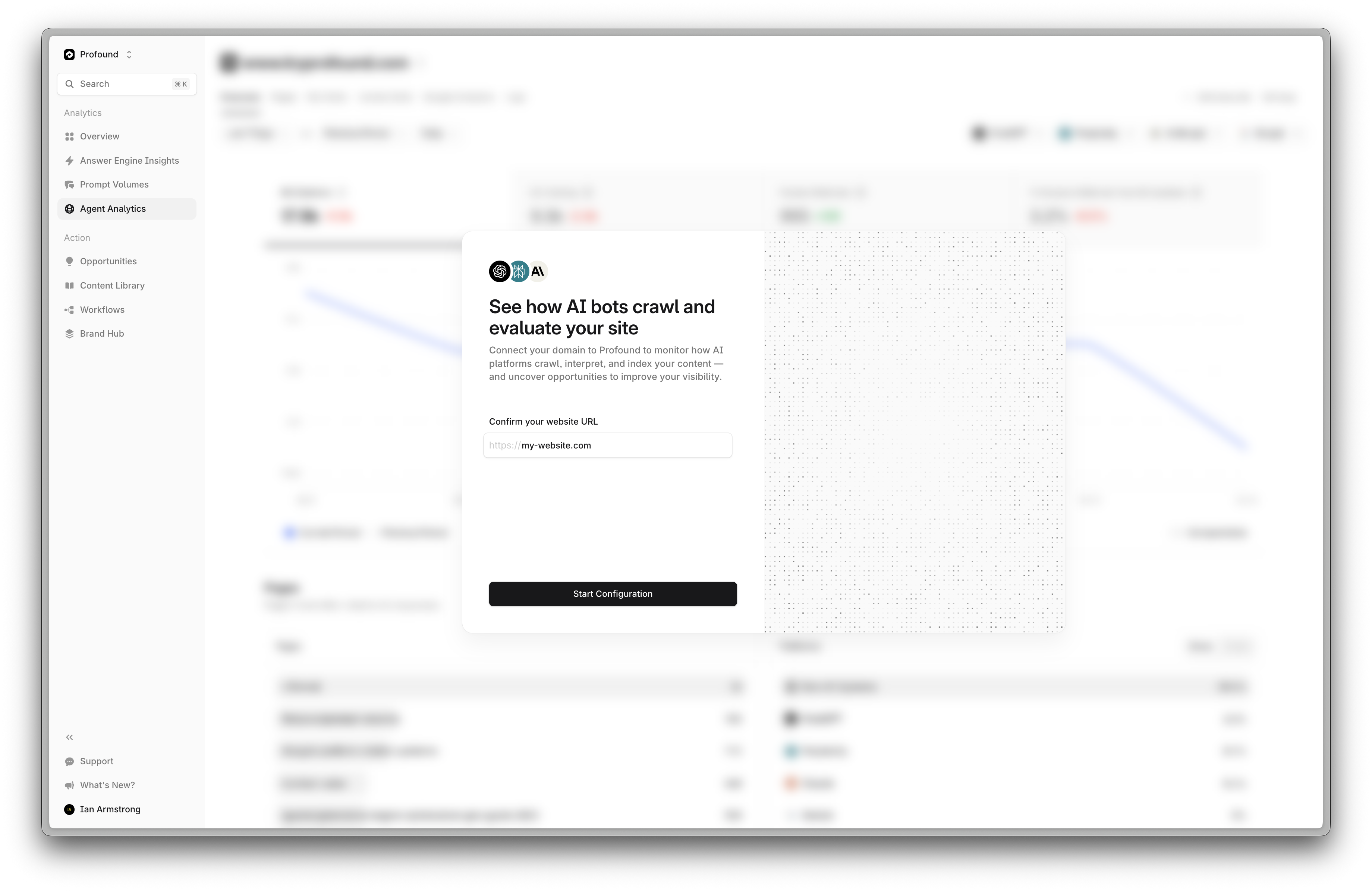
4
Step 4
Profound will attempt to automatically detect your domain’s hosting provider. Ensure the correct provider is selected before continuing.
5
Step 5
To continue, select the appropriate provider and follow the setup guide.
Cloudflare (Worker)
Connect your Profound account to your Cloudflare account with a lightweight worker
Cloudflare (Logpush)
Connect your Profound account to your Cloudflare account with Logpush
Vercel (Connectable Account)
Integrate your Vercel account with Agent Analytics in just a few clicks
Amazon CloudFront
Use Amazon Data Firehose to deliver real-time logs to Profound
Fastly
Connect your Fastly traffic to Profound with a Custom HTTPS Endpoint
Netlify
Connect your Netlify traffic to Profound with Log Drains
Akamai
Connect your Akamai traffic to Profound with DataStream2
Google Cloud CDN
Connect your Google Cloud CDN traffic to Profound with a log sink
WordPress Plugin
Use the WordPress plugin to send request logs to Profound
Custom Integration
Build your own custom integration with standardized log drain formats
Need Help?
Our team is here to support you every step of the way. For personalized assistance with your integration, reach out through your dedicated Slack channel.FAQ
Frequently Asked Questions about Agent Analytics and Google Analytics
Profound Status
Monitor our service health and stay updated on system performance in real-time
Contact
Work with our team to design and build integrations tailored to your unique infrastructure needs
Troubleshooting
- Ensure you have configured the proper domain you want to track
- Ensure you selected your hosting provider
- Verify you have completed all the steps in the relevant documentation
- Be aware it may take several minutes to see data
- Reach out to support