

Category structure and how it relates to other Profound building blocks
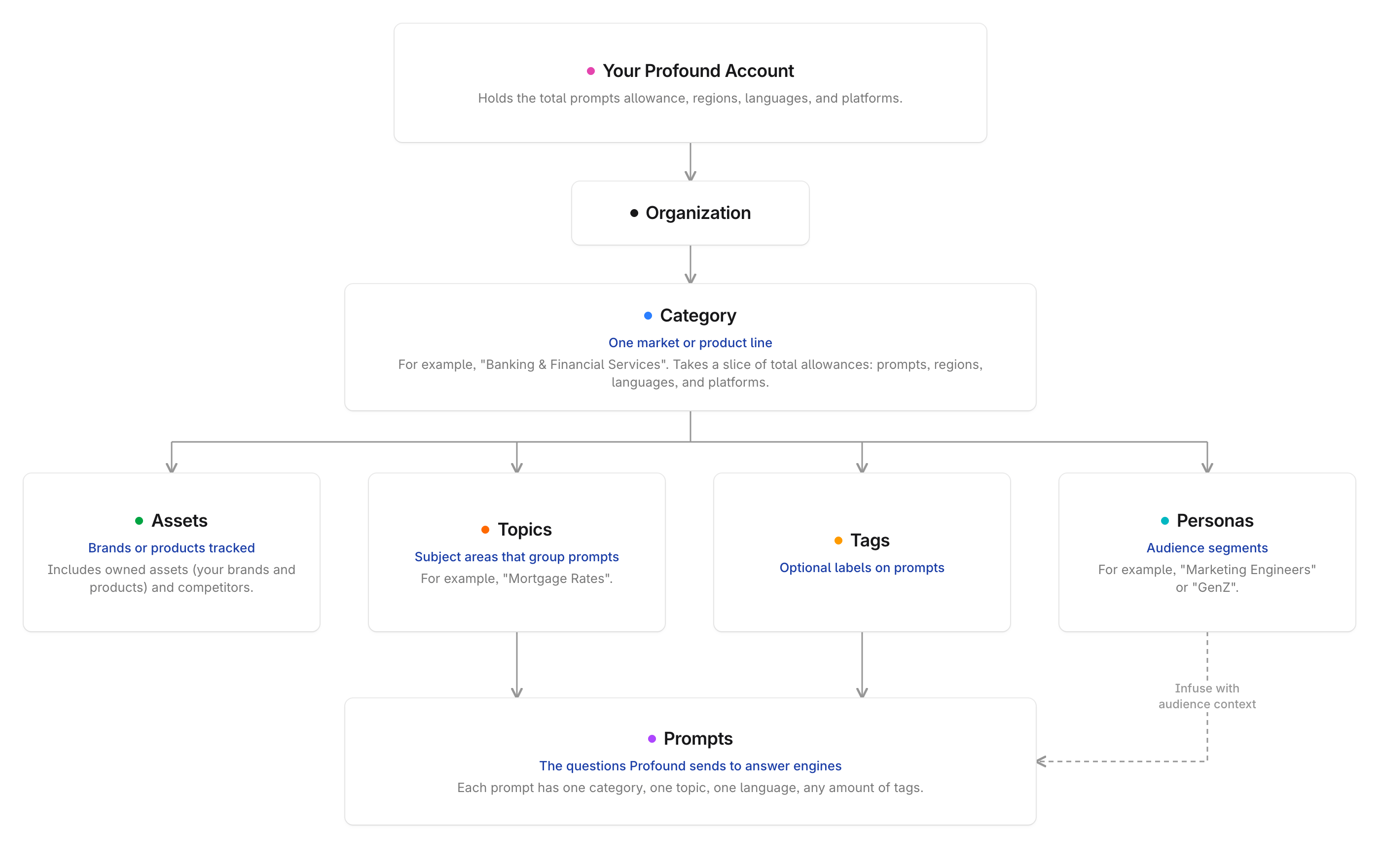
When you have multiple organizations and categories
If you work with more than one organization or category, here’s how they relate: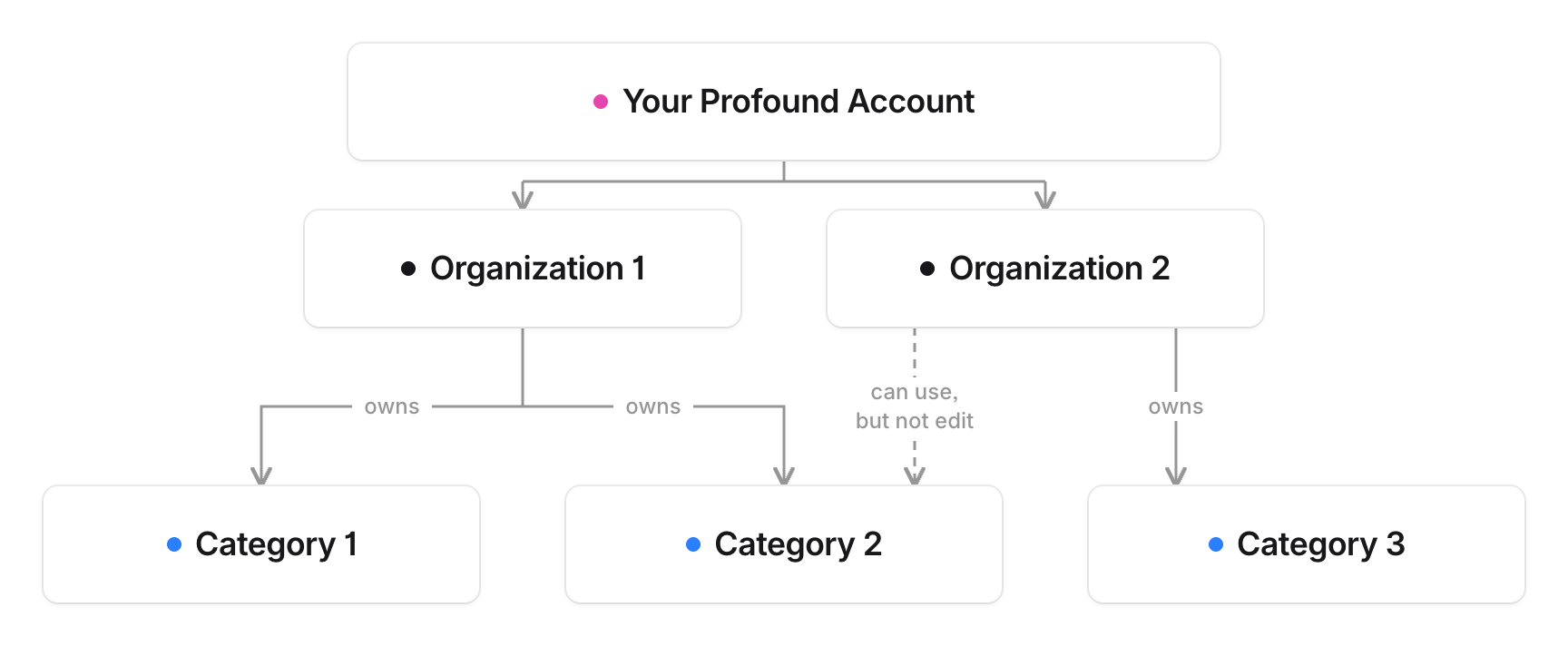
- An organization can create, own, and share categories with other organizations.
- Your organization can use a shared category, but only the owning organization can edit it.
- Your Profound contract sets the number of categories your organization can use.
Where you work with categories
- Answer Engine Insights (AEI): Every category-scoped page has a selector at the very top of the page that shows the owning organization, the categories you can view, and the owned assets in the selected category. Filters for topics, tags, regions, platforms, and personas apply within that category. Learn more in Interpret Answer Engine Insights v2.
- Analytics Setup: Admins of enterprise organizations use Analytics Setup to create and manage categories, allocate prompts, choose regions and languages, and add assets.
- People. When you invite a member on the People page, choose the categories they can open in the Category field. Learn more in Add and manage team members in Profound.
- Onboarding. New users set up their first category in the onboarding flow: confirm your brand, add owned and competitor assets, review generated topics, and generate prompts.
- Profound API and MCP. Reports provided by the API or MCP tools are scoped by category. Learn more in the REST API reference and MCP documentation.